Loading video…
All breakouts
297App DemoHow-To hookLifestyle
Hook
Let's customize your CarPlay.
@johannah_jo
3.8K followers · usually 612 views a post
Views
181.7K
Likes
7.0K
Comments
113
Shares
2.5K
Promoted product
Apple CarPlay
Why it worked
The video directly answers a specific user question with a clear, actionable tutorial that solves a common desire for personalization in a popular automotive interface.
Summary
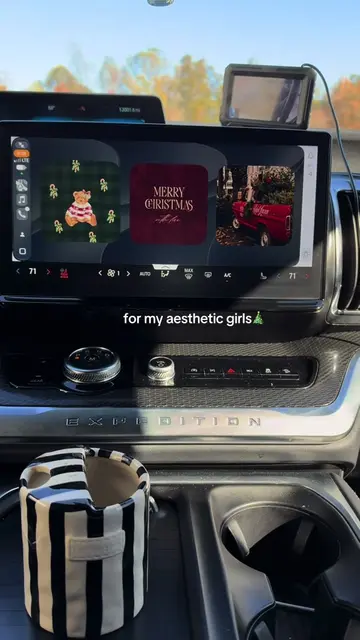
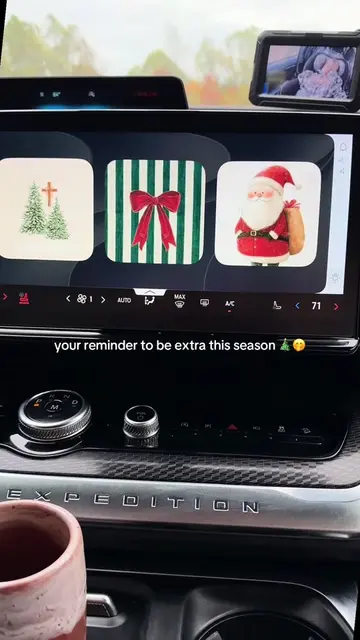
The creator provides a step-by-step tutorial on how to customize the Apple CarPlay dashboard display by adding a photo widget that cycles through specific albums. The video demonstrates the settings menu navigation required to achieve this personalized look on a vehicle's infotainment screen.
Structure
- 1Introduction to customizing CarPlay
- 2Navigating to CarPlay settings
- 3Selecting the car and widget menu
- 4Adding and configuring the photo widget
- 5Selecting a specific photo album
- 6Final result demonstration
Product placement
Apple CarPlay (a) ACTS: the creator operates its interface within the car's infotainment system to customize the display. Removing it would change the entire video as it is the subject of the tutorial. Ford Expedition (b) APPEARS: the name is visible on the dashboard and in the car's infotainment settings; it is the vehicle hosting the software. Removing it would not change the tutorial content. Pinterest (b) APPEARS: the name is visible as an album title in the photo selection menu. Removing it would not change the tutorial content. Patternator (b) APPEARS: the name is visible as an album title in the photo selection menu. Removing it would not change the tutorial content.
Original caption
Replying to @Heather Eich #2026expedition #carhacks #foryou #carplayscreen #momcar
More from @johannah_jo
More breakout videos from this creator.