Loading video…
Sound

original sound - kayvon.ai
Kayvon Jafarzadeh · Original audio
0:00–:––
Playing this video’s own audio, so you’ll hear the creator over the sound.
The video uses a compelling 'before and after' hook that demonstrates a high-value, complex editing result achieved with a simple, accessible AI tool, making the product feel like a 'magic' solution for solo creators.
The creator demonstrates how to use the 'Multi-angle video creator' feature within CapCut's Video Studio to generate multiple camera angles from a single static tripod shot. He walks through the process of selecting the 'Director' agent mode, uploading a clip, and using text prompts to create dynamic camera movements.
Comment "CAPCUT" and I'll send you the link to the tool that turned this one take into every angle 🎥 I filmed this whole thing on a tripod. One take, one angle, and the camera never moved once. Then I told CapCut Video Studio what I wanted the camera to do, and it gave me the pull back, the orbit, and the overhead shot from that same clip. Same voice, same timing, angles I never filmed. Here's the workflow 👇 1️⃣ Open Video Studio in CapCut 2️⃣ Switch the agent mode from standard to director, then hit Skill 3️⃣ Pick Multi-angle video creator and add your original clip 4️⃣ Describe the camera moves you want and hit generate 5️⃣ Click Edit Video, and everything lands on the timeline for captions and pacing Why this is a big deal: ✅ One camera, one take, full coverage ✅ Your audio and timing stay exactly the same ✅ Angles that normally need a second operator or a reshoot ✅ The generating and the editing happen in the same place ✅ You finish with a polished video, not just raw clips If you film alone like I do, this is the part that used to cost you a whole second setup day. 👉 Comment "CAPCUT" and I'll send you the link #CapCut #CapCutVideoStudio #CapCutDidThat #CapCutAI #CapCutPC @CapCut
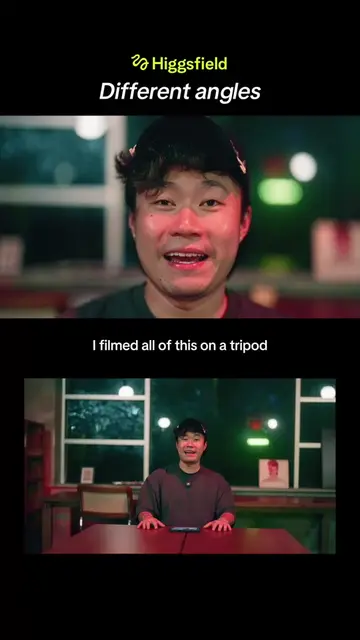
I filmed all of this on a tripod
Showcasing the final multi-angle result
Explaining the original static tripod setup
Demonstrating the CapCut Video Studio interface
Showing the AI generation process
Finalizing the edit on the timeline
Call to action for the tool link
CapCut: (a) ACTS — the creator demonstrates its Video Studio interface, selects the 'Director' agent mode, chooses the 'Multi-angle video creator' skill, uploads a clip, and generates new camera angles from it. Removing it would change the entire video. (b) APPEARS — the brand name is visible in the top corner throughout the video.
Comment "CAPCUT" and I'll send you the link to the tool
Playing this video’s own audio, so you’ll hear the creator over the sound.
Video editing app for creators making social media videos
Views and creators: posted in the last 30 days (English videos). Videos: all time.
Promotes 9 products. Create free account to see more.
Outliers and viral hits: their videos on Overshot, all time.