Loading video…
Sound

original sound - angelasoverlays
overlays ⸆⸉ · Original audio
0:00–:––
- Videos using it
- 4
- Creators
- 4
- Views on those videos
- 418.2K
The video addresses a common pain point for school secretaries by offering a practical, DIY solution using accessible tools like Google Sheets and Apps Script. The creator's relatable explanation and clear, step-by-step instructions, combined with a call to action for more detailed guidance in their bio, encourage engagement and sharing.
The creator demonstrates how to build a student checkout alert system for a school using Google Sheets and Apps Script. The tutorial guides viewers through creating a new spreadsheet, setting up columns, and using Apps Script to trigger alerts, with further instructions available in the creator's bio.
share this check out alert system with your favorite front office school secretary, and anyone else who may benefit from this student checkout alert system. Hopefully the algorithm brings you all back to part two of my original post. I know this isn’t the best tutorial, I told yall I’m not techy! 🤣🫠 but check out my bio for the complete set up #frontoffice #schoolsecretary #officelife #officetok #pov
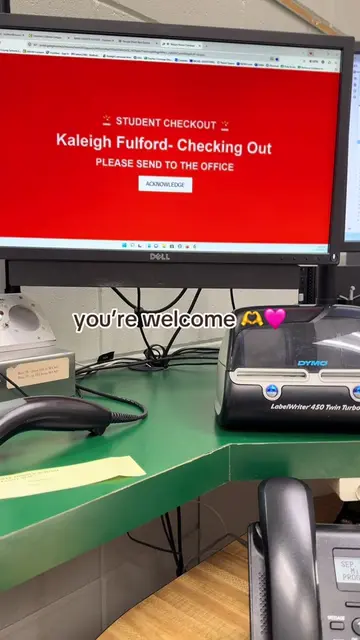
STUDENT CHECKOUT
Introduction to the problem: lack of intercom system
Explaining the solution: a Google Sheets and Apps Script system
Step-by-step guide to creating the spreadsheet
Navigating to Apps Script to add functionality
Demonstrating the final alert system interface
Call to action to check bio for full instructions
Google Drive (ACTS - interface operated, removing it would change what happens in the video), Google Sheets (ACTS - interface operated, removing it would change what happens in the video), Apps Script (ACTS - interface operated, removing it would change what happens in the video), Dell (APPEARS - corner watermark, removing it would not change what happens in the video)
check my bio for step by step instructions
Online spreadsheet software for people organizing data, trackers, and plans
All time.
Promotes 2 products. Create free account to see more.
Outliers and viral hits: their videos on Overshot, all time.