Loading video…
Sound

original sound - techsecuredad
TechSecureDad · Original audio
0:00–:––
Playing this video’s own audio, so you’ll hear the creator over the sound.
We didn’t find a product being promoted in this video. Its hook, format and structure below still show why it took off.
Browse products winning on TikTokThe video solves a universal, high-friction problem (spam calls) with a simple, actionable, and native feature that most users are unaware of.
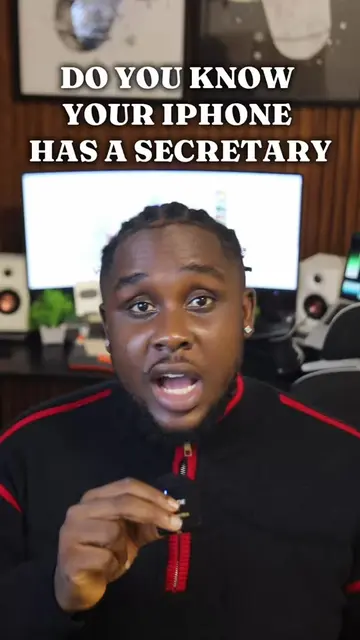
The creator provides a tutorial on how to enable the 'Ask Reason for Calling' feature on an iPhone to screen unknown callers. This is a helpful tech tip for managing spam calls.
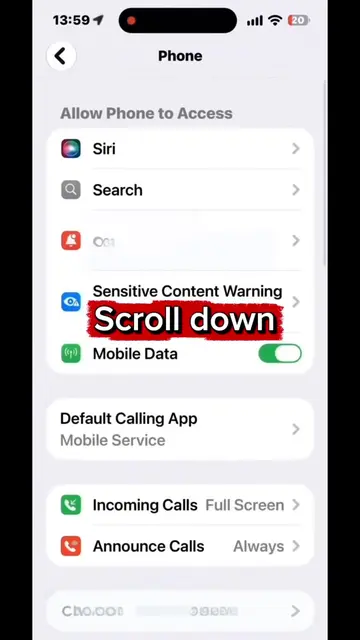
Your iPhone can make unknown callers explain why they’re calling BEFORE your phone rings. Go to: Settings → Apps → Phone → Screen Unknown Callers → Ask Reason for Calling Save this so you can check yours later. #iPhoneTips #ScamPrevention #TechTips
TURN ON THIS iPHONE SETTING FOR UNKNOWN NUMBERS
Explain the problem of unknown callers
Describe the iPhone feature solution
Provide step-by-step instructions
CTA to save the video
iPhone (a) it ACTS — the video demonstrates its interface and settings to enable a specific feature. Removing it would change the video entirely as it is the subject of the tutorial.
Save this so you can check yours later.
Playing this video’s own audio, so you’ll hear the creator over the sound.
Promotes 1 product. Create free account to see more.
Outliers and viral hits: their videos on Overshot, all time.