Loading video…
All breakouts
626Talking HeadWarning hookCreator Economy
Hook
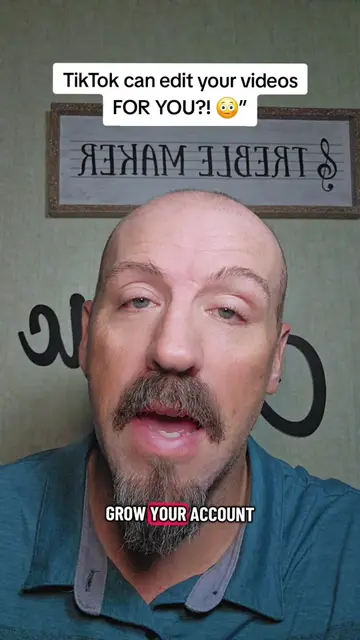
🚨 TIKTOK UPDATE 🚨 New TikTok Feature You Might Be Missing 👁️👁️
@pames.jawl
214.5K followers · usually 2.0K views a post
Views
1.2M
Likes
8.1K
Comments
333
Shares
534
Why it worked
The video provides immediate, actionable value by teaching a specific, easy-to-implement feature that helps creators improve their content's visual appeal, which is highly relevant to the target audience of aspiring TikTok creators.
Summary
The creator provides a tutorial on how to use a new 'Cover Title' feature for photo posts on TikTok. He walks through the steps of selecting a photo, accessing the text tool, and choosing a cover title style.
Structure
- 1Announcing a new TikTok feature
- 2Demonstrating how to upload a photo
- 3Showing how to access the new cover title tool
- 4Explaining how to customize the title and sound
- 5Encouraging viewers to check their own accounts
Product placement
TikTok: (a) ACTS — the creator demonstrates its interface, specifically the 'Photo' upload, 'AA' text tool, and 'Cover Titles' feature. Removing this would change the entire video as it is a tutorial on how to use these specific features. TikTok is the platform being used and the subject of the tutorial.
Call to action
follow me for more simple TikTok tips that can actually help you grow
On-screen text
🚨 TIKTOK UPDATE 🚨
New TikTok Feature You Might Be Missing 👁️👁️
TIKTOK ROLLED OUT
ANOTHER UPDATE AND
FEATURE YOU NEED
TO TRY
NOT EVERYBODY HAS
THIS BUT IF
DON'T IGNORE THIS
ONE TAP THE
PLUS SIGN AND
SELECT PHOTO PICK
ONE STILL PHOTO
FROM YOUR CAMERA
ROLL NOT A
VIDEO NOW TAP
THE AA ICON
ON THE RIGHT
HAND SIDE
LIKE YOU'RE ADDING
TEXT THEN LOOK
AT THE TOP
FOR THE BIG
A WITH THE
LITTLE STAR BY
IT AND TAP THAT
AND THAT BRINGS
UP COVER TITLES
SCROLL THROUGH THEM
AND PICK THE
ONE YOU LIKE
YOU CAN KEEP
THE TITLE TIKTOK
GIVES YOU OR
TAP ON IT
AND TYPE IN
WHATEVER YOU WANT TIKTOK
WILL ALSO AUTOMATICALLY
PUT A SOUND ON
YOUR POST
AND I RECOMMEND
JUST LEAVING THE
SOUND THE TIKTOK
PICKS FOR YOU
BUT IF YOU
ABSOLUTELY HATE IT
YOU CAN CHANGE
IT JUST CHOOSE
A TRENDING SOUND
THEN POST IT
STRAIGHT TO YOUR
STORY AND THAT'S IT
TIKTOK IS PUTTING
A LOT OF
FOCUS ON STORIES
RIGHT NOW
SO IF YOU
HAVE THIS FEATURE
USE IT
GO CHECK YOUR
PAGE AND SEE
IF YOU HAVE IT
AND SAVE THIS
VIDEO BECAUSE YOU'RE
PROBABLY GONNA FORGET
THESE STEPS
THE SECOND YOU
LEAVE THE SCREEN
AND FOLLOW ME
FOR MORE SIMPLE TIKTOK
TIPS THAT CAN
ACTUALLY HELP YOU GROW
Original caption
TikTok’s new AI Cover Title feature lets you create eye-catching photo posts with custom titles! #newfeature #aicovertitle #tiktokupdate #tiktoktips #smallcreators
More from @pames.jawl
More breakout videos from this creator.