Loading video…
All breakouts

~82.7App DemoHow-To hookConsumer Apps
Hook
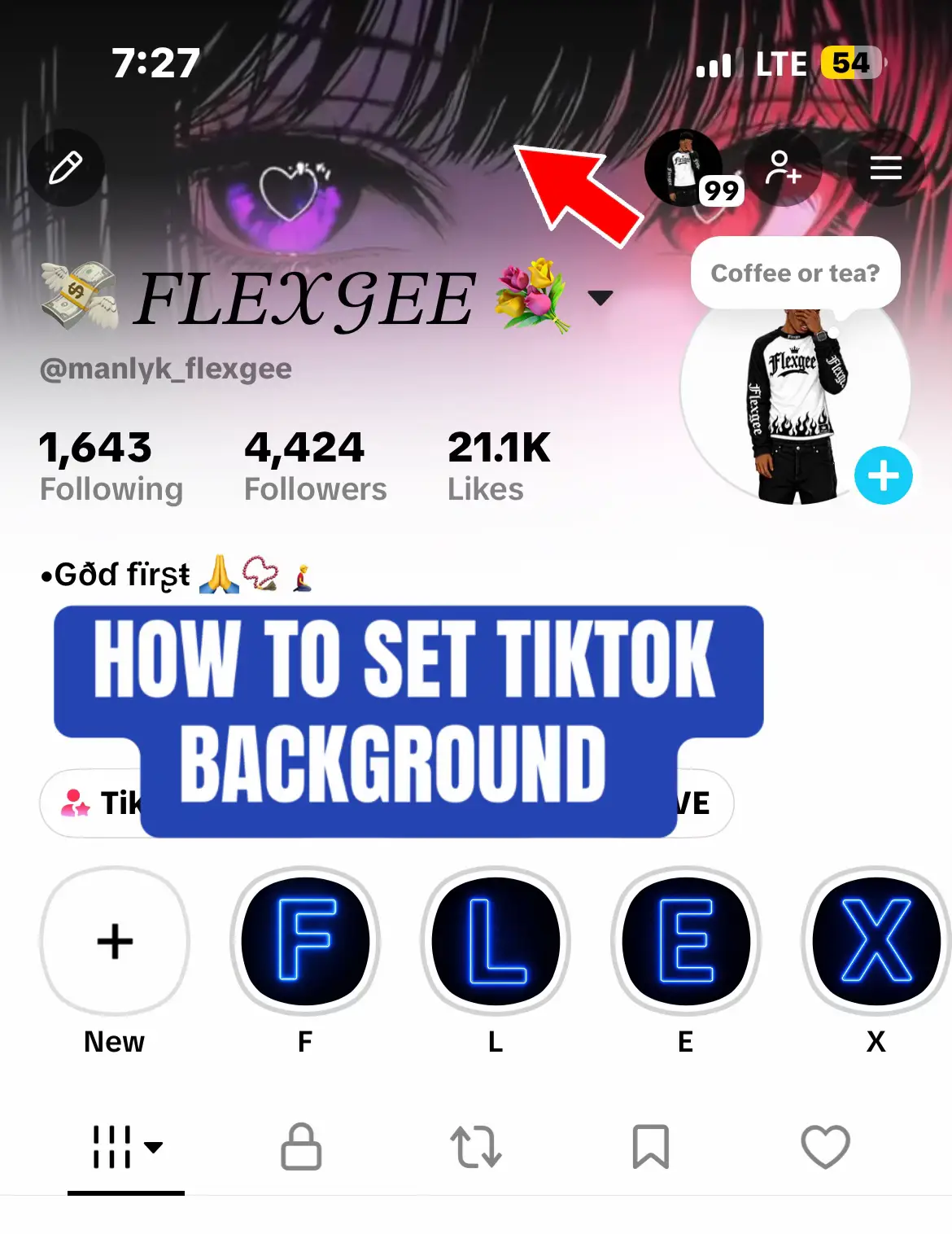
TIKTOK BANNER TUT
@manlyk_flexgee
5.2K followers · usually 2.3K views a post
Views
121.2K
Likes
5.8K
Comments
40
Shares
101
Why it worked
The post provides a clear, actionable solution to a specific UI frustration that many users encounter, presented in a simple, easy-to-follow visual format.
Summary
The creator provides a step-by-step tutorial on how to change a profile banner on the TikTok app by navigating through the settings and profile menus. The video concludes by showing the final result of the updated profile.
Structure
- 1Introduction to the tutorial
- 2Navigating to settings and privacy
- 3Accessing the profile background upload menu
- 4Selecting an image from the device
- 5Saving the new banner
Product placement
TikTok (a) ACTS — the interface of the TikTok app is operated to demonstrate how to change a profile banner. Removing the app interface would make the tutorial impossible.
On-screen text
4:37
LTE 74
FLEXGEE
@manlyk_flexgee
TIKTOK BANNER TUT
God first
Simple Guy
big dreams
let's have fun
FOLLOW 4 FOLLOW BACK
TikTok Studio
Balance
LIVE
1,661
Following
4,767
Followers
40.5K
Likes
Settings and privacy
Inbox & Messaging
Activity centre
Audience control
Ads
Playback
Language
Display
Accessibility
Contacts and location
Accessibility
Appearance
Text size
Adjust text size on the app.
Increase colour contrast
This will only increase your contrast on the app.
Content
Skip photosensitive posts
Skip some posts that may trigger photosensitive seizures.
1,644
Following
4,421
Followers
21.1K
Likes
My girl
Home
Inbox
Profile
Basic info
Bio
Links
Add link
Profile background
Upload photo
Choose from your posts
Cancel
Select up to 29 items
Next
Save
RESULT
Original caption
#addtiktokbanner #fypシ゚viral #tiktokbannerset #tiktokbannerupdate #cantsetbanner
More from @manlyk_flexgee
More breakout videos from this creator.