Loading video…
Sound

Sound Viral 2026
dj amoy
0:00–:––
- Videos using it
- 11
- Creators
- 10
- Views on those videos
- 577.1K
Hook
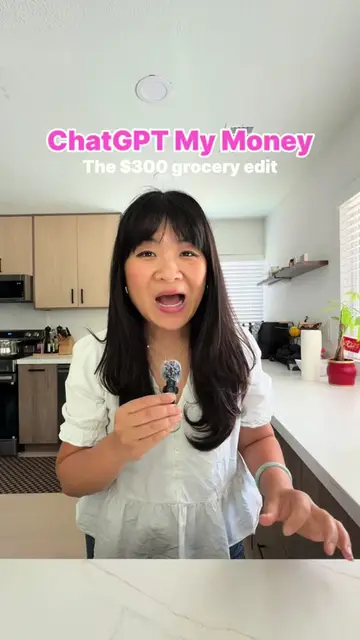
Posted Nov 4, 2026Video · 0:12by @annievuaicoach
The video uses a strong, relatable hook that addresses a common pain point for AI users, promising a specific, actionable solution.
The video encourages viewers to use specific ChatGPT prompts to generate highly realistic AI photos. It positions these prompts as the secret to achieving natural-looking results.
😱 WANT TO CREATE AI IMAGES THAT LOOK MORE LIKE REAL PHOTOS? The secret isn’t just writing a prompt. It’s knowing how to describe lighting, camera angles, natural details, and realistic imperfections. Try these 8 ChatGPT prompts to make your AI-generated images look more natural and realistic! 👇 1. Create a Smartphone Photo Look "Create an image that looks like a casual photo taken with an iPhone 16 Pro. Use natural lighting, neutral colors, slight image noise, realistic details, and natural framing." 2. Add Natural Imperfections "Make the image look more authentic by including subtle imperfections such as messy hair, natural skin pores, clothing wrinkles, uneven lighting, and small realistic flaws." 3. Simulate a Professional Camera "Create a photo that looks like it was taken with a Sony A7 IV and a 50mm f/1.8 lens. Use natural lighting, soft background blur, true-to-life colors, and a RAW photography feel." 4. Create an Everyday Snapshot "Make the image look like a casual everyday photo shared on social media. Use a natural camera angle, relaxed composition, and avoid overly polished or dramatic effects." 5. Place the Subject in a Real Location "Place the subject in [LOCATION]. Match the lighting, weather, shadows, colors, and surrounding details so the subject naturally blends into the environment." 6. Create Realistic Product Photography "Create a clean, minimal product advertisement photo with soft studio lighting, realistic reflections, accurate material textures, and natural shadows." 7. Enhance Photographic Realism "Improve the photo's realism by refining diffused lighting, white balance, skin texture, reflections, shadows, depth, and perspective. Avoid common AI-generated artifacts." 8. Review and Improve the Image "Analyze the image and identify details that look unnatural, especially lighting, skin, hair, clothing, hands, eyes, perspective, and shadows. Suggest and apply improvements to make it look more realistic." 💡 A quick tip: The more specific you are about the subject, lighting, setting, camera angle, and details, the better your results can be. These prompts can improve realism, but they don't guarantee an image will be indistinguishable from a real photograph. Follow me for more practical AI tips!
😱 WANT TO CREATE AI-GENERATED PHOTOS SO REALISTIC THAT PEOPLE CAN'T TELL THEY'RE AI?
Identify the problem of unrealistic AI photos
Introduce ChatGPT prompts as the solution
Call to action to try the prompts
ChatGPT (a) ACTS: the video instructs the viewer to use it to generate realistic photos. Removing it would change the entire premise of the video.
Try these 8 ChatGPT prompts and see the results for yourself!
ChatGPT helps you get answers, find inspiration, and be more productive.
Views and creators: posted in the last 30 days (English videos). Videos: all time.
Promotes 1 product. Create free account to see more.
Outliers and viral hits: their videos on Overshot, all time.