The video provides high-value, actionable educational content that solves a complex problem (smart home setup) in a concise, structured format, making it highly shareable and useful for viewers.
Summary
The creator provides a step-by-step guide on how to set up a smart home ecosystem, including choosing a platform, buying devices, and configuring automations and sensors. He demonstrates the process using various smart home products and directs viewers to his bio for his specific product recommendations.
Structure
1Choose a smart home ecosystem
2Download the app
3Buy a smart speaker/hub
4Add smart devices
5Set up automations
6Add sensors
Product placement
The creator showcases various smart home devices (smart speakers, light strips, smart plugs, smart locks, smart thermostats, and sensors) throughout the video to demonstrate the setup process.
Check the link in my bio for recommended smart home devices.
On-screen text
FULL GUIDE ON HOW TO TURN YOUR HOME INTO A SMARTHOME IN JUST 3 MINUTES
Step 1: Choose an Ecosystem
Step 2: Download the App & Login/Signup
Step 3: Buy Your First Smart Speaker/Hub
These and all other recommended smart devices are linked in my bio
Step 4: Buy Your First Smart Devices
Step 5: Set up Automations(Routines)
Step 6: Add Sensors
For most cases with most sensors **
Transcript
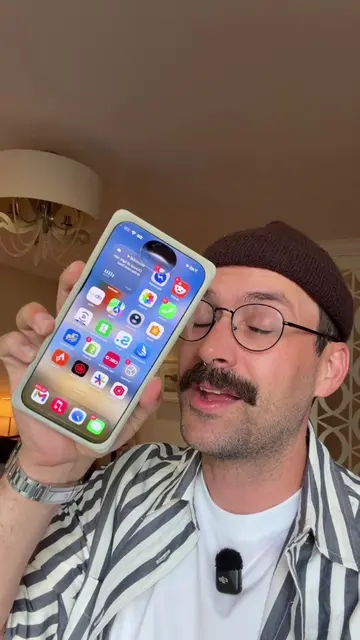
This is a complete guide on how to set up a smart home in just 3 minutes. Buckle up. Step 1: Choosing a smart home ecosystem you're going to use. This is where you're going to control your devices, change your settings and set up automations. To make it simple, if you and your household use Apple products, go with Apple Home, otherwise go with Amazon Alexa. Step 2: Download the app of the ecosystem you chose on your phone. This is where you're going to control and set up all your devices. Step 3: Buy your first smart speaker/hub. This is where all of your smart home devices are going to connect to. It's also going to give you the crucial functionality of being able to control your smart home with your voice, though being near your phone. Like this. Siri, turn on the dining room lights. For your first smart speaker, if you own with Apple, get the HomePod Mini. If you own with Alexa, get the Amazon Echo Show 5. This thing also has a screen, great little extra feature. These and all other recommended smart devices are linked in my bio. Step 4: And this is where the fun starts. We're going to start adding smart home devices. When buying any smart home device, you're going to want to make sure that it's compatible with the ecosystem you chose. You can see here these light strips work with Apple HomeKit and Amazon Alexa, so we're good either way. First, I recommend doing your smart lighting, starting with something simple like smart plugs and plugging them into a basic lamp. Or you could use smart bulbs in a lamp if you want to have control over things like the color of the light. You can add things like these standalone smart LED strips. After you have some smart lighting set up, I recommend you get a smart lock. And after you're done that, a smart thermostat. Once you bought your device, setup is incredibly easy. You just go to the app you downloaded earlier for your home ecosystem and you click add accessory. Then follow the on-screen prompts. It'll take just a minute. One last thing it's going to ask you is what room you want to add it to. You're then going to be able to segment out all the different rooms of your house in your smart home ecosystem. You see here are my office, my bedroom, my kitchen, everything I need. Once we do that, we plug our smart plug into our lamp. Now all we have to do is tap the lamp icon in our smart home and we have full control over it through our phone. And of course, because of our smart speaker setup, we can also control it with our voice, but not just that individual device, but because it's all grouped in a room, we can say something like, Hey Siri, turn off all of the bedroom lights. And it just works. Before we jump into the next steps, if you need help buying devices, I do have all the ones that I recommend for each device category in my bio there on my profile, so you can check those out. Now we have our devices installed, we're at the point now where we have a fully functioning smart home, but there's two things we can do to make it so much better. Step 5: Set up Automations(Routines). This will make it so your smart home does things for you without you having to input anything. All you have to do is go to the automation sections or routines. You then click add at the top here and add automation. There's two types of common automations, either doing things when people arrive or come home, or time-based. Maybe at night you want the lights shut off or you want the house to shut down when you leave home, or vice versa. The setup is super easy. If you want something to happen at a certain time of day, you simply click that, you can select what day of the week you want it to happen on and then you enter the time. You click next, and then it's going to ask you what accessory you want to trigger when that happens and you're done. Automations are when smart homes start getting crazy and there's so many ways to utilize them, but start with time-based and location-based automations to start playing with how you want to automate your home. Step 6: Add Sensors. Sensors require buying a hub, like this camera hub here from Aqara, because they need to connect to it. They cannot connect directly to your smart home. Three main types of sensors, motion sensors, door sensors that could detect when things open and close, and temperature and humidity sensors. You can have these things do whatever you want when they're triggered. Like the motion sensor in my office that when I walk in the office and it detects motion, it turns on all my lights. Or maybe you want the humidity sensor to turn on your bathroom fan that's hooked up to your smart switch when the humidity rises above a certain percentage. Once you added your sensors to your smart home like you would any other device, to set up how they work, you click on add automation and instead of doing time of day or when people come and go, you want to do a sensor to detect something. You can then have the sensor detecting something do anything you want. Again, really easy to set up and super simple interface. And that is a full guide on how to set up a smart home in under 3 minutes. I skipped over a lot, but that gets you everything you need to know to get up and running. Like I said, if you need any advice on products or my recommendations, you can find them there in my bio. If you have any questions, if you want me to go deeper on anything, also let me know in the comments. I appreciate every one of you guys. Thank you for watching and I'll catch you in the next video.