Loading video…
All breakouts
18.5Talking HeadHow-To hookConsumer Apps
Hook
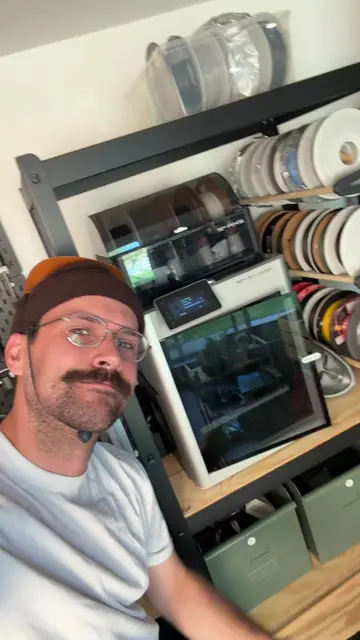
Let's try and fix this free broken 3D printer I found on marketplace.
@brett.tech
925.5K followers · usually 15.2K views a post
Views
277.4K
Likes
14.9K
Comments
168
Shares
170
Why it worked
The video leverages the 'fix-it' content format, which is inherently satisfying to watch, combined with a clear, educational explanation of a common technical problem that makes the viewer feel smarter.
Summary
The creator picks up a free, allegedly broken 3D printer from a local marketplace and diagnoses the issue as a simple user error regarding bed leveling and Z-offset calibration. After resetting the printer and configuring the settings, he successfully prints a test model to confirm it is fully functional.
Structure
- 1Creator finds a free broken 3D printer on Facebook Marketplace.
- 2He picks up the printer and inspects the hardware.
- 3He explains the common issue of bed leveling and how the probe works.
- 4He performs a hard reset and calibrates the Z-offset.
- 5He runs a successful test print to confirm the fix.
Product placement
The video features a Voxelab Aquila 3D printer, which is the subject of the repair, but it is not being promoted as a new product for sale.
On-screen text
Let's Try and Fix This Broken 3D Printer!
Voxelab Aquila 3D Printer
Free - Sold
Description
Free 3D printer. Paid $80 for it used but couldn't get it to hold its position when building layers. Free to whomever would like to give it a try or use for parts. Comes with some accessories
See less
Seller
5.0 (49)
Joined Facebook in 20
See all
Description
Free 3D printer. Paid $80 for it used but couldn't get it to hold its position when building layers. Free to whomever would like to give it a try or use for parts. Comes with some accessories
See less
Description
Free 3D printer. Paid $80 for it used but couldn't get it to hold its position when building layers. Free to whomever would like to give it a try or use for parts. Comes with some accessories
See less
Original caption
Any % glitchless 3D printer “repair” #maker #3dprinting
More from @brett.tech
More breakout videos from this creator.