Loading video…
Sound

original sound - smart.easy
Smart & Easy | Tech & AI · Original audio
0:00–:––
Playing this video’s own audio, so you’ll hear the creator over the sound.
We didn’t find a product being promoted in this video. Its hook, format and structure below still show why it took off.
Browse products winning on TikTokThe video provides high-utility, actionable technical advice that solves a common frustration (hidden updates) in a very short, easy-to-follow format.
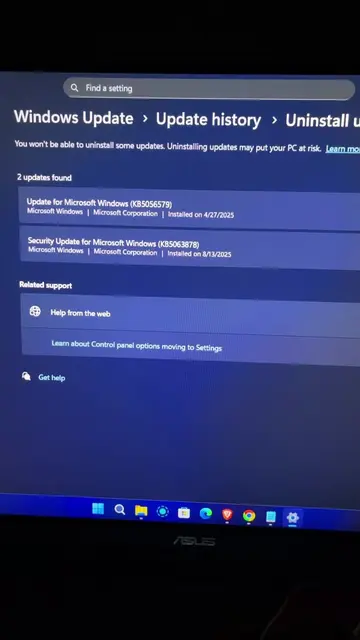
The video provides a quick tutorial on how to find hidden driver updates on a Windows PC. It guides the viewer through the settings menu to ensure their system is fully updated.
Is your PC truly up to date? Hidden driver updates might be waiting! 🔍 Open Settings (Windows+I), go to Windows Updates > Advanced Options > Optional Updates to find important software updates your PC needs. Quick fix to keep your system running smoothly! #PCUsers #TechHelp #WindowsUpdate #DriverUpdates #ComputerTips #TechHacks
If you have a PC, you need to try this.
Hook about a PC tip
Instruction to open Windows settings
Explanation of why the standard update check is insufficient
Step-by-step guide to finding optional driver updates
Final instruction to download and install
thank me with a like
Playing this video’s own audio, so you’ll hear the creator over the sound.
Promotes 7 products. Create free account to see more.
Outliers and viral hits: their videos on Overshot, all time.