It provides a highly actionable, high-value 'hack' for a common professional pain point (presentation design) using a popular tool, making the promotion feel like a helpful tutorial.
Summary
The creator demonstrates how to train Claude AI to generate on-brand PowerPoint presentations by uploading screenshots, fonts, and brand colors as a custom skill. He explains the process of setting up the skill and refining the output through iterative prompts.
Structure
1Introduce the problem of creating on-brand presentations
2Explain the solution using Claude's custom skills feature
3Step-by-step guide to uploading brand assets
4Demonstrate testing and refining the AI output
5Final result: saving the skill for future use
Product placement
The video is a screen-recording tutorial showing the Claude interface throughout.
Original caption
Create on-brand PowerPoint presentation decks with Claude. All you need to do is create a new Claude skill using screenshots of your best slides, brand colours, and fonts. Claude Cowork (only available in the desktop app) can work on presentations directly on your computer, and it's really good. One of my favourite uses of AI. #AI #artificialintelligence #claude #Tech #technology #LearnOnTikTok
More from @willfrancis24
Their other posts in the index, biggest breakout first.
On-screen text
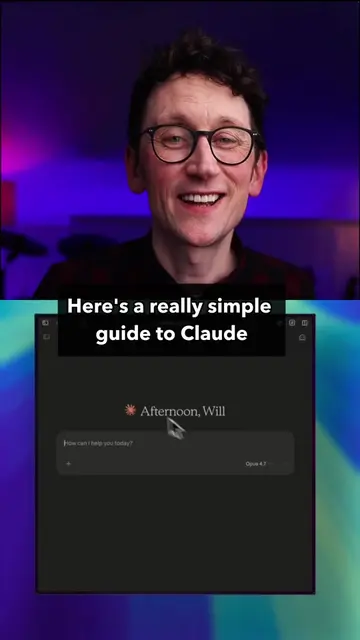
Here's how to use Claude to create
gorgeous on-brand presentation decks.
This is probably the most common thing
people ask me in my workshops.
Yes, you can use things like Gamma
but honestly you just need to train Claude
and it will do a fantastic job for you.
This will work on a free or paid account, OK?
So your skills,
if you go to 'Customize' and left hand menu,
you'll see that's where they live, OK?
Now Claude already has
a skill for producing PowerPoint decks
but we're gonna create a new one.
So, open your best PowerPoint presentation
and screenshot a few of the best slides
or the different layouts that you wanna capture.
Maybe title slide,
section title,
bullet points slide,
things like that, right?
Start a new chat in Claude,
drop those screenshots in and say,
'I want to create a skill to produce on-brand
PowerPoint presentations. Use these
screenshots to define the rules.'
What I would also do is drop in your font files
and also if you know your brand colours,
then paste them in as well.
When it's done creating that skill,
it might actually run a test
and show you a few slides.
Or if it doesn't, just say,
'test this skill with a 5-slide deck or social media
performance. Just make the numbers up for now'
And that will give you a sense
of how it will respond
when it's doing real work for you.
Now there's probably gonna be things
you don't like,
things that need tweaking,
that's normal.
So, now you just say,
'thanks, a few amends...'
and just list all the things you wanna change.
Try and capture them all in one chat
to save time
but just keep tweaking it until it's perfect.
And when you're happy,
hit 'Save skill'
and that gets saved into those skills
that we saw in the 'Customize' section.
And that's it.
And now, anytime you can give it
spreadsheets, raw data,
vague ideas for it to go and research
and it will be able to create
beautifully branded decks for you.
Transcript
Here's how to use Claude to create gorgeous on-brand presentation decks. This is probably the most common thing people ask me in my workshops. Yes, you can use things like Gamma, but honestly you just need to train Claude and it will do a fantastic job for you. This will work on a free or paid account, OK? So your skills, if you go to 'Customize' and left hand menu, you'll see that's where they live, OK? Now Claude already has a skill for producing PowerPoint decks but we're gonna create a new one. So, open your best PowerPoint presentation and screenshot a few of the best slides or the different layouts that you wanna capture. Maybe title slide, section title, bullet points slide, things like that, right? Start a new chat in Claude, drop those screenshots in and say, 'I want to create a skill to produce on-brand PowerPoint presentations. Use these screenshots to define the rules.' What I would also do is drop in your font files and also if you know your brand colours, then paste them in as well. When it's done creating that skill, it might actually run a test and show you a few slides. Or if it doesn't, just say, 'test this skill with a 5-slide deck, our social media performance, just make the numbers up for now' and that will give you a sense of how it will respond when it's doing real work for you. Now there's probably gonna be things you don't like, things that need tweaking, that's normal. So, now you just say, 'thanks, a few amends...' and just list all the things you wanna change. Try and capture them all in one chat to save time but just keep tweaking it until it's perfect. And when you're happy, hit 'Save skill' and that gets saved into those skills that we saw in the 'Customize' section. And that's it. And now, anytime you can give it spreadsheets, raw data, vague ideas for it to go and research and it will be able to create beautifully branded decks for you.