Loading video…
Sound

original sound - maryannedamarzo
Your Marketing Mentor · Original audio
0:00–:––
Playing this video’s own audio, so you’ll hear the creator over the sound.
The video effectively demonstrates a practical workflow for leveraging AI tools to efficiently process information and create content, appealing to creators and marketers looking to save time and improve their output.
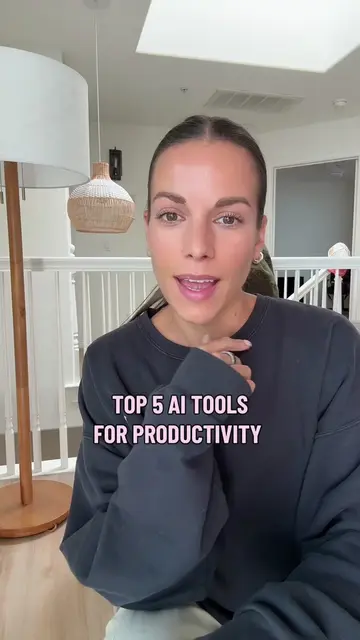
The creator details five ways they used AI tools to process information from the Google I/O conference and create content. They used Wispr Flow for note-taking, NotebookLM for research, ChatGPT for script generation, Claude Design for visuals, and Manychat for automated distribution.
How I used 5 AI tools in just one hour to turn a tech conference into content. I just caught up on the Google I/O conference and used my favorite AI workflow to save hours of work: 1️⃣ Whisper Flow: For voice-typing notes while watching the full conference. 2️⃣ NotebookLM: To deep-dive into Google’s content and understand every detail.3 3️⃣ ChatGPT: Using two custom projects to process the data and generate a viral video script instantly. 4️⃣ Claude Design: For creating the high-quality visuals 5️⃣ ManyChat: To automate the delivery of my key takeaways. This process used to take forever, but now it’s done in 60 minutes.
AI & MARKETING 5 WAYS I USED AI THIS MORNING
Watch Google I/O conference
Take notes with Wispr Flow
Process information with NotebookLM
Generate script with ChatGPT
Create visuals with Claude Design
Set up Manychat for distribution
Wispr Flow: acts as a voice typing tool to transcribe notes while watching content. It is used by the creator to save time. NotebookLM: acts as a research tool to understand and summarize content from provided links. It is used by the creator to process information. ChatGPT: acts as a tool to process data and generate content, specifically a viral video script. It is used by the creator for content generation. Claude Design: acts as a graphic design service that creates visuals for videos. It is used by the creator to produce visual assets. Manychat: acts as a marketing automation tool to send automated messages in response to comments. It is used by the creator to distribute content. Google I/O: merely appears as the subject of the conference the creator is covering. Removing it would not change what happens in the video.
comment the word Google
Playing this video’s own audio, so you’ll hear the creator over the sound.
Promotes 1 product. Create free account to see more.
Outliers and viral hits: their videos on Overshot, all time.
Voice dictation software that turns speech into text for people writing messages, emails, and code
All time.