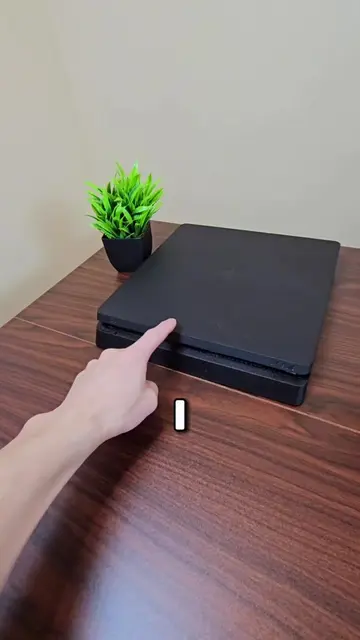
I've gotten some things from China that took this long. Obviously very legal things. I'm not a crackhead who do you think I am. But I guess shipping some tiny ass thing from Oregon to Ontario is going to take 4 whole ass weeks. Not anything I can do about it though. So now we wait. But just nine days later, I got an email while I was out of the house doing very family friendly things of course and said that a package arrived at my obviously now that you're seeing this video you know exactly what's inside of here. But at the time I had absolutely no clue because I order a ton of things all the time and I wasn't expecting a delivery at all today, let alone this one which I thought was supposed to arrive in like three weeks. Regardless, I'm happy to say that my 7850 looks exactly how I expected it to. Kind of dusty but nothing we can't fix and with a little bit of cleaning, I'm sure we can get this looking, you know, completely fine. So I guess it averages out to being mid. The only real issue with this GPU was pretty small. This GPU was pretty small and it was that I couldn't get a display with the GPU plugged in to the monitor. Now normally this wouldn't be an issue at all. But in this specific case, when I plugged my monitor into my motherboard instead, my display kept flickering and my PC kept freezing. My integrated graphics don't normally do this. So I knew that this was the 7850s fault. I always seem to have some goofy problems with these old GPUs on this channel and none of these problems ever make any sense to me. But yeah, basically anytime I try to click something, my screen just freezes and then it black screens and I don't even know and eventually it got to a point where my screen just went black indefinitely. It just never turned back on again. And so I was left with no choice but to reboot my PC. And luckily after rebooting my PC, everything seemed to work fine again, which makes the whole thing even more confusing because nothing changed. All I did was reboot my PC and I don't have this problem anymore. I'm just glad that it because this could have definitely ended up being one of those problems that take me hours to fix cause that's happened on this channel plenty of times. I'd rather complain about something working randomly than complain about something not working at all. With that hiccup out of the way, all there was left to do was to install the drivers for this thing. The only problem is that GPU stopped getting driver support before Windows 11 was even a thing. So the latest drivers on AMD's website were for Windows 10. Shouldn't be an issue though, because every other time I installed Windows 10 drivers on Windows 11, it worked with no issues. And this was no exception. The AMD software installer worked completely fine. And with the drivers finally installed, I am now able to get a display with the GPU plugged in. The only problem now is that I don't see a single stat in MSI Afterburner. I can't see the temperature, clock speeds, none of that. It's all completely fine in the AMD software though. So I guess it's not that bad, but it is a little bit weird. And when I check GPUZ, all the specs are correct. So at least we got the right GPU. We got exactly what we paid for. But earlier I mentioned that I was gonna do something to make up for the lack of console optimization. So it's about time I tell you my solution. Instead of compensating with a more powerful GPU, I'm compensating with a more powerful CPU. This is because the original PS4 used an AMD Jaguar and for context, the Jaguar architecture was built for budget laptops and tablets. So you could probably assume that even at launch the CPU was very weak. It was such a huge bottleneck to the point where developers actually made the GPU do a lot of the things that the CPU normally does in games. And with that in mind, I thought the easiest solution to make up for not having console optimization would be to just pair the HD 7850 with a modern CPU. This way, we're also keeping the GPU as close as possible to a real PS4 instead of just using a more powerful one. So now that we have our answer for the console optimization problem, it's finally time to see just how close this graphics card actually performs compared to a real PS4. The first game I wanted to test was GTA 5 because this game was absolutely huge for the console success. The PS4 version of the game was capped to 30 FPS largely because the CPU is so slow. But with the HD 7850 paired with a modern CPU, I was able to get over 100 average FPS with a lot of the graphics settings turned up. If you max out the anti-aliasing quality and all that, this will drop closer to 60. But this kind of goes to show what the PS4 could have done with a better CPU. The only real problem I ran into while testing GTA actually had nothing to do with the game itself, but my GPU while the GPU was being stressed, the fan would spin at max speed for about 10 to 12 seconds and then fully stop for about 20 seconds and the cycle would repeat over and over again as long as I'm playing the game. To be fair, I have headphones in anyways, so I don't really care to fix it, that's enough yapping though. Let's move on to the next game. The second game we're gonna be testing is Tomb Raider Definitive Edition on the PS4. This game would run between 40 to 60 FPS at 1080p high to ultra settings. The only problem is that testing this game on PC isn't nearly as straightforward as you might expect. Because despite being one of the PS4's biggest launch titles, the the definitive holy shit, that word is so hard, the definitive edition basically doesn't exist on PC. You search on Steam, it's not there. You search on Epic Games, it's also not there. So until today, I thought this game was straight up impossible to get on PC, which is exactly why I've never tested this game on this channel before. But today I found out that they quietly released the game on PC 10 years ago.