Loading video…
All breakouts
15.0Text-HeavyOther hookSaaS
Hook
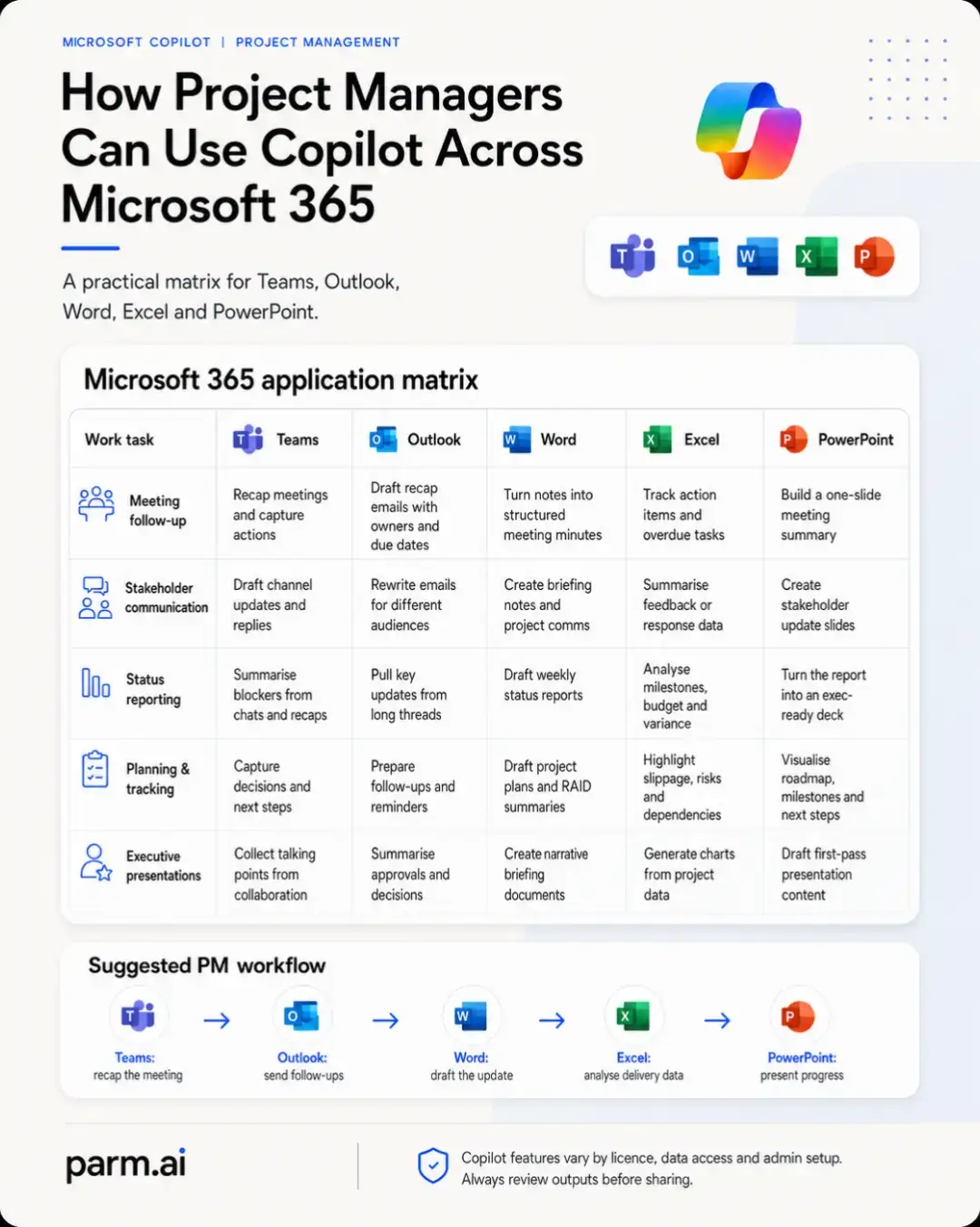
MICROSOFT COPILOT | PROJECT MANAGEMENT
@parm.ai
3.6K followers · usually 1.6K views a post
Views
19.0K
Likes
548
Comments
2
Shares
155
Why it worked
The post effectively demonstrates the practical utility of Microsoft Copilot by showing how it integrates into the daily workflows of project managers across multiple essential Microsoft 365 tools. The matrix format provides a clear, easily digestible overview of its benefits for specific tasks, making it highly relevant and valuable to the target audience.
Summary
This post outlines how Microsoft Copilot can assist project managers across various Microsoft 365 applications like Teams, Outlook, Word, Excel, and PowerPoint. It presents a matrix showing how Copilot can enhance tasks such as meeting follow-ups, stakeholder communication, status reporting, planning, and executive presentations within each application.
Structure
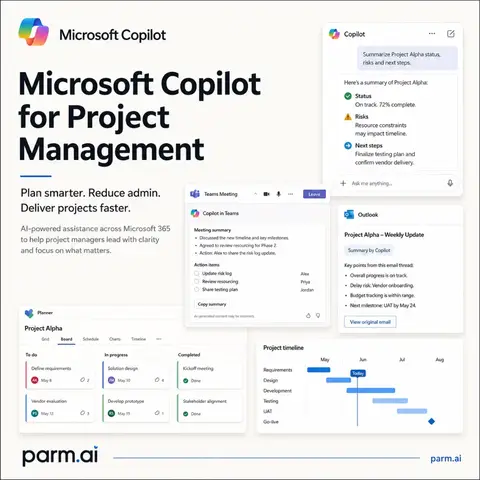
- 1Title slide introducing Microsoft Copilot for Project Management
- 2Matrix showing Copilot's application across Teams, Outlook, Word, Excel, and PowerPoint for different project management tasks
Original caption
Project managers rarely work in just one Microsoft 365 app. A meeting starts in Teams, the follow-up moves to Outlook, the formal update is drafted in Word, delivery data is checked in Excel, and progress is presented in PowerPoint. Microsoft Copilot can support each stage of that workflow: Teams can help recap meetings, surface decisions, identify blockers and capture next steps. Outlook can help turn those updates into clear follow-up emails, reminders and stakeholder communications tailored to different audiences. Word can help structure meeting notes, draft status reports, create briefing documents and develop first versions of project plans or RAID summaries. Excel can help analyse milestones, budgets, variances, overdue actions, risks and dependencies using the data already available in your workbook. PowerPoint can help turn project information into stakeholder updates, meeting summaries and first-draft executive presentations. The real value comes from connecting these tools into one practical workflow rather than treating Copilot as a separate chatbot. Start with the meeting, move the actions into communication and documentation, analyse the delivery data, then present the story clearly. Copilot should support professional judgement, not replace it. Features can vary by licence, organisational configuration and access to Microsoft 365 data, so always verify the output before sharing it with stakeholders. Save this matrix for your next project and follow Parm.AI for practical ways to use Microsoft Copilot at work. #MicrosoftCopilot #ProjectManagement #Microsoft365 #AIProductivity #ProjectManagers
More from @parm.ai
More breakout videos from this creator.