Loading video…
All breakouts
5.5Talking HeadHow-To hookConsumer Apps
Hook
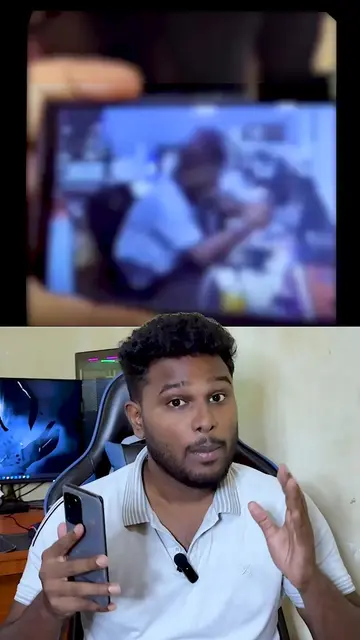
Phone එක ඔන් කරන ලේසිම ක්රමය , power button ඔනෙ නැ
@technologysureya
123.2K followers · usually 49.0K views a post
Views
257.9K
Likes
13.5K
Comments
475
Shares
895
Product placement
Samsung (phone): Acts - the phone is used to demonstrate a feature. Removing it would change the video. Technology Sureya (channel/brand): Appears - it is the creator's brand name shown on screen and in the caption. Removing it would not change the video.
On-screen text
Phone එක ඔන් කරන ලේසිම ක්රමය , power button ඔනෙ නැ #lifttowake #risetowake #technologynSettingsnTechnology SureyanSamsung accountnSync your Wi-Fi networksn1 more suggestionnConnectionsnWi-Fi Bluetooth Airplane modenConnected devicesnQuick Share Samsung DeX Android AutonModes and RoutinesnModes RoutinesnSounds and vibrationnSound mode RingtonenNotificationsnStatus bar Do not disturbnDisplaynBrightness Eye comfort shield Navigation barnWallpaper and stylenWallpapers Color palettenThemesnThemes Wallpapers IconsnHome screennLayout App icon badgesnLock screennScreen lock type Always On DisplaynSecurity and privacynBiometrics Permission managernLocationnLocation requestsnSafety and emergencynMedical info Wireless emergency alertsnAccounts and backupnManage accounts Smart SwitchnGooglenGoogle servicesnAdvanced featuresnLabs Side keynDigital Wellbeing and parental controlsnScreen time App timersnBattery and device carenStorage Memory Device protectionnAppsnDefault apps App settingsnGeneral managementnLanguage and keyboard Date and timenAdvanced featuresnLabsnSide keynMotions and gesturesnOne-handed modenSmart suggestionsnScreenshots and screen recordernShow contacts when sharing contentnVideo call effectsnGame LaunchernOrganize all your games in one place and access extra features that enhance your gameplay experience.nVideo brightnessnNormalnDual MessengernSign in to a second account in your favorite social apps.nMotions and gesturesnLift to wakenTurn on the screen when you pick up your phone.nDouble tap to turn on screennTurn on the screen when you double tap it.nDouble tap to turn off screennDouble tap an empty space on the Home or Lock screen.nKeep screen on while viewingnKeep the screen on while you're looking at it, using the front camera to detect your face.nAlert when phone picked upnYour phone will vibrate when you pick it up after missing a call or message.nMute with gesturesnMute incoming calls and alarms by putting your hand over the screen or turning your phone face down.nPalm swipe to capturenSwipe the edge of your hand across the screen to take a screenshot.
Original caption
Phone එක ඔන් කරන ලේසිම ක්රමය , power button ඔනෙ නැ #lifttowake #risetowake #technology
More from @technologysureya
More breakout videos from this creator.