Loading video…
Sound

original sound - thom.code
Thom Code · Original audio
0:00–:––
Playing this video’s own audio, so you’ll hear the creator over the sound.
Hook
Posted Aug 4, 2026Video · 1:29by @thom.code
The video effectively highlights valuable free software that directly replaces expensive paid alternatives, addressing a common pain point for creators. The clear comparisons and demonstrations of functionality make the value proposition compelling.
This video highlights essential free software for content creation, focusing on OBS Studio for streaming and Audacity for audio editing. It contrasts these free tools with their paid counterparts, emphasizing their capabilities and value.
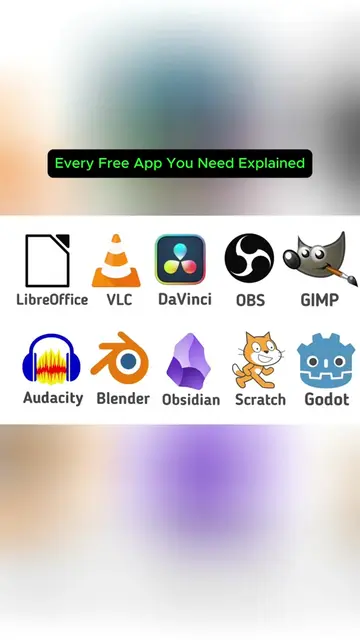
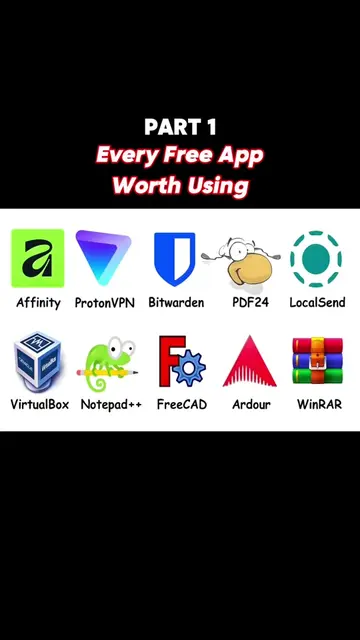
Replying to @bamikadam31 Part 6 ~ Every Free App You Actually Need Explained You're paying monthly for software you could get free. Here are the free apps that replace thousands of dollars a year — ending with one that runs ChatGPT-style AI on your own PC. We walk through every free app worth installing and exactly what paid subscription it kills: LibreOffice for Microsoft 365, PDF24 for Adobe Acrobat, 7-Zip for WinRAR, VLC for any media player, and Bitwarden for LastPass or 1Password — that five-app starter pack alone saves around $400 a year. Then we go deeper: Obsidian instead of Notion, HandBrake for shrinking huge video files, GIMP for Photoshop, DaVinci Resolve for pro video editing (used on real Hollywood films), OBS Studio for streaming, and Audacity for audio. And for going further — Blender for 3D, Godot for making games, Scratch for learning to code, and Ollama or LM Studio to run a private AI offline with nothing ever leaving your machine. Screenshot the cheat-sheet at the end. 🔔 Subscribe to PCExplainer for more tech explained in plain English — new videos every week. 💬 Got a topic you want explained next? Drop it in the comments. #PC-Explainer #FreeSoftware #FreeApps
Every Free App You Actually Need Explained... Part ~ 6
Introduction to OBS Studio
OBS Studio's features and benefits
Comparison with paid alternatives (XSplit, Camtasia)
Introduction to Audacity for audio editing
Audacity's features and benefits
Comparison with paid alternatives (Adobe Audition)
Mention of Audacity's past privacy concerns
Overview of other free apps
OBS Studio: Acts - It is a free and open-source software for video recording and live streaming. Its interface is operated to capture screen, webcam, images, and overlays, and switch between them live. It records in high quality and streams to various platforms. Removing it would change what happens in the video. XSplit: Appears - It is a paid software for video recording and live streaming. Its name appears on a box graphic, and its price is mentioned. Removing it would not change what happens in the video. Camtasia: Appears - It is a paid software for video recording and editing. Its name appears on a box graphic, and its price is mentioned. Removing it would not change what happens in the video. Twitch: Appears - It is a live streaming platform. Its logo appears on screen. Removing it would not change what happens in the video. YouTube: Appears - It is a video-sharing platform. Its logo appears on screen. Removing it would not change what happens in the video. Facebook: Appears - It is a social media platform. Its logo appears on screen. Removing it would not change what happens in the video. Audacity: Acts - It is a free audio editor. Its interface is shown, and its functions like cutting clips, removing background hiss, and adjusting volume are described. Removing it would change what happens in the video. Adobe Audition: Appears - It is a paid audio editing software. Its name and logo appear on screen, contrasted with Audacity. Removing it would not change what happens in the video. Bitwarden: Acts - It is a free password manager. Its name appears on a grid of app icons. Removing it would not change what happens in the video. LastPass: Appears - It is a paid password manager. It is mentioned as a paid alternative to Bitwarden. Removing it would not change what happens in the video. 1Password: Appears - It is a paid password manager. It is mentioned as a paid alternative to Bitwarden. Removing it would not change what happens in the video. LibreOffice: Acts - It is a free office suite. Its name appears on a grid of app icons. Removing it would not change what happens in the video. Microsoft 365: Appears - It is a paid office suite. It is mentioned as a paid alternative to LibreOffice. Removing it would not change what happens in the video. PDF24: Acts - It is a free PDF editor. Its name appears on a grid of app icons. Removing it would not change what happens in the video. Adobe Acrobat: Appears - It is a paid PDF editor. It is mentioned as a paid alternative to PDF24. Removing it would not change what happens in the video. 7-Zip: Acts - It is a free file archiver. Its name appears on a grid of app icons. Removing it would not change what happens in the video. WinRAR: Appears - It is a paid file archiver. It is mentioned as a paid alternative to 7-Zip. Removing it would not change what happens in the video. VLC: Acts - It is a free media player. Its name appears on a grid of app icons. Removing it would not change what happens in the video. GIMP: Acts - It is a free image editor. Its name appears on a grid of app icons. Removing it would not change what happens in the video. Blender: Acts - It is a free 3D creation suite. Its name appears on a grid of app icons. Removing it would not change what happens in the video. Scratch: Acts - It is a free programming language. Its name appears on a grid of app icons. Removing it would not change what happens in the video. Ollama: Acts - It is a tool for running AI models locally. Its name appears on a grid of app icons. Removing it would not change what happens in the video. IntelliJ IDEA Conf 2026: Appears - It is a conference. Its name appears in the bio link's page title. Removing it would not change what happens in the video.
Playing this video’s own audio, so you’ll hear the creator over the sound.
Promotes 8 products. Create free account to see more.
Outliers and viral hits: their videos on Overshot, all time.
Free desktop software for recording and live streaming, for content creators
All time.