Loading video…
Sound

original sound - medicoumaima
guidebyomaima🦋 · Original audio
0:00–:––
Playing this video’s own audio, so you’ll hear the creator over the sound.
The video effectively uses a common pain point (outdated laptop aesthetics) and offers a simple, visual solution with readily available tools. The clear demonstration and the promise of a 'clean' and 'high-quality' look appeal to users seeking customization and improvement.
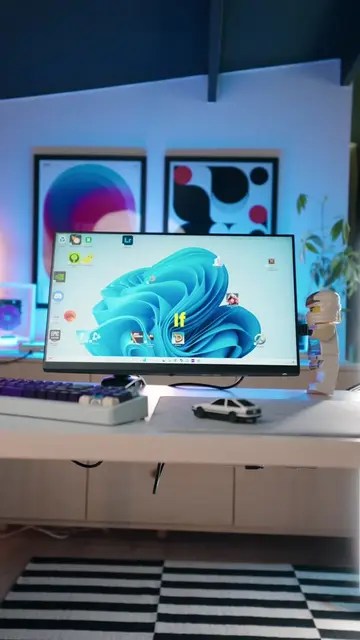
The video demonstrates how to enhance a laptop's appearance by using two applications: Sucrose Wallpaper Engine for dynamic wallpapers and TranslucentTB for an invisible taskbar. It guides viewers through downloading and applying these tools to achieve a cleaner and more modern look for their PC.
laptop ki yee settings sb ko pata honii chaiya 💜 #viral #foryou #tiktok #creatorsearchinsights #google
OUTDATED screen mat use kro ❌
Introduce the problem of outdated laptop aesthetics
Showcase Sucrose Wallpaper Engine for live wallpapers
Explain how to hide desktop icons
Demonstrate TranslucentTB for an invisible taskbar
Showcase the final clean and modern look
Call to action to follow for more tips and comment for tool link
Sucrose Wallpaper Engine: ACTS - it allows users to download and apply high-quality live wallpapers to their desktop. Removing it would prevent the demonstration of changing wallpapers. (Appears - it is downloaded from the Microsoft Store, but the store itself is not the focus.) TranslucentTB: ACTS - it makes the Windows taskbar translucent or invisible. Removing it would prevent the demonstration of the taskbar's appearance change.
Follow and like for daily information, jobs, internship. All videos are for guidance. Is TOOL ka link chahiye to comment krdo 💯
Playing this video’s own audio, so you’ll hear the creator over the sound.
Desktop app with interactive live wallpapers for Windows users
All time.
Promotes 2 products. Create free account to see more.
Outliers and viral hits: their videos on Overshot, all time.