Loading video…
The creator

@riecodes
0 followers · 181.4K likes
Promotes 5 products. Create free account to see more.
Usual views
3.6K
Outliers
14
Viral hits
4
Outliers and viral hits: their videos on Overshot, all time.
Hook
Posted Aug 31, 2026Video · 3:04by @riecodes
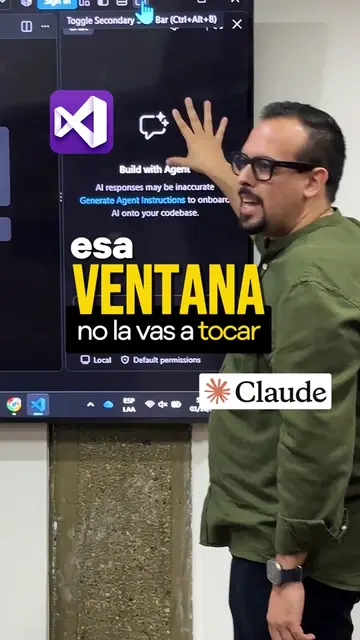
The video provides practical tips and shortcuts for using VS Code, a popular tool among developers. By demonstrating how to streamline workflows and leverage integrated features, it offers value to viewers looking to improve their productivity.
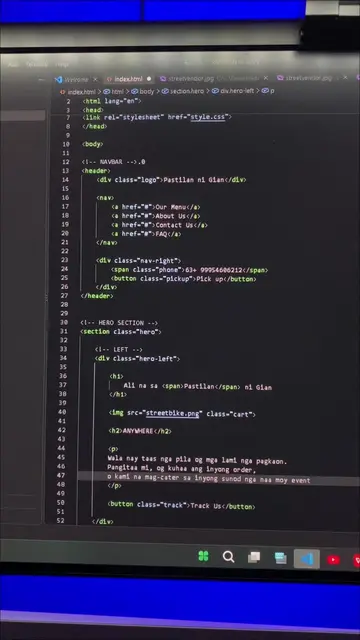
The video demonstrates a VS Code workflow that aims to streamline development by integrating various tools and features within the IDE. It highlights the use of VS Code's integrated browser, command palette, and AI assistants like Claude Code for coding tasks, as well as customization of keyboard shortcuts. The creator also shows how to manage the layout by hiding panels to focus on the browser view.
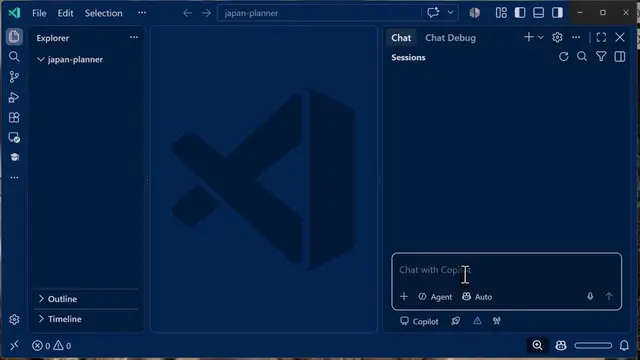
Developer ka ba, o BSIT student na may laptop at VS Code na gamit mo? Gusto mo matutunan yung buong workflow ko. Wala kang hassle sa pag-alt-tab, isang software na lang lahat. Una, sidebar. Dito mo makikita yung Explorer mo at yung search, importante ito kasi dito mo nahahanap yung mga files mo. Pangalawa, VS Code integrated browser. Habang nasa VS Code ka, press mo Ctrl + Shift + P, tapos i-type mo "browse", lalabas yung Browse: Open Integrated Browser. Click mo, pwede mo nang ilagay yung localhost and port mo, o pwede kang mag-search diretso. Kapag nag-run ka ng development server, pwede mo ring i-Ctrl + click yung localhost and port mo para automatic nang bumukas. Ang ganda pa nito, may add element to chat na feature. Pag ni-click mo yung element sa browser, mapupunta agad yun sa Copilot Chat sa kanan. Para buksan yung Copilot Chat, Ctrl + Alt + I. Gamit na gamit ko ito sa frontend design, kasi yung element na kinlick mo lang, mula na dun yung babaguhin mo. Pang-apat na hindi mawawala sa akin, VS Code terminal. Yung isa para sa local dev server, yung isa para kay Claude Code. Sonnet ang gamit ko pang-tanong tanong sa codebase, Opus naman pang-planning at coding. May custom status line pa ako na naka-attach kay Claude Code, makikita ko yung project name, color-coded yung model, ilang oras nang tumatakbo yung task, may context indicator para alam ko kung kailan mag-co-compact. Kapag naging sobrang laki na yung terminal mo, i-maximize panel mo lang, click mo yun. Meron din akong teknik dun, spam mo lang yung shortcut ko hanggang umayos, Alt + Backtick sa akin. Kung gusto mo gawin yung sarili mong shortcut, Ctrl + Shift + P ulit, tapos i-search mo "keyboard shortcuts", piliin mo yung Preferences: Open Keyboard Shortcuts. Doon mo pwedeng i-set kahit anong combination, sa akin Alt + Backtick. Yung browser focus na sinasabi ko, ang logic lang dito ay parang mga papel na pinagpapatong-patong natin. Para makuha natin yung view na gusto natin, magtatanggal tayo ng mga papel. I-hide mo yung terminal, Ctrl + Backtick, i-hide mo yung sidebar, Ctrl + B, at okay ka na.
Promotes 5 products. Create free account to see more.
Outliers and viral hits: their videos on Overshot, all time.
Code editor for developers building and debugging software
All time.
vscode workflow ko. isang software na lang. wala na alt tab
Introduction to VS Code workflow
Demonstration of integrated browser and command palette
Customizing keyboard shortcuts
Using AI assistants (Claude Code) for coding
Managing VS Code layout for focus
VS Code (Visual Studio Code) ACTS - it is an IDE used for coding, and its features like the integrated browser, command palette, and terminal are demonstrated. Removing it would change what happens in the video. VS Code is the primary tool used throughout the video. Claude Code ACTS - it is mentioned as a tool that runs on VS Code, and its features like Opus, Sonnet, and Haiku are discussed in relation to coding tasks. Removing it would change what happens in the video. Claude Pro ACTS - it is mentioned as a higher-tier version of Claude Code. Removing it would not change what happens in the video as it's a brief mention. Rufllo v3 ACTS - it is a custom status line that can be attached to Claude Code. Removing it would not change what happens in the video as it's a feature of Claude Code. Zion Strategic Solutions APPEARS - it is a company name displayed on the application interface. Removing it would not change what happens in the video.

Playing this video’s own audio, so you’ll hear the creator over the sound.