Loading video…
Sound

original sound - futuretalkwith_ni
futuretalkwith_nidhi · Original audio
0:00–:––
Playing this video’s own audio, so you’ll hear the creator over the sound.
The video offers a practical and easily actionable solution to a common pain point (battery life) for a specific, large user base (Samsung phone users), presented in a concise and visually guided format.
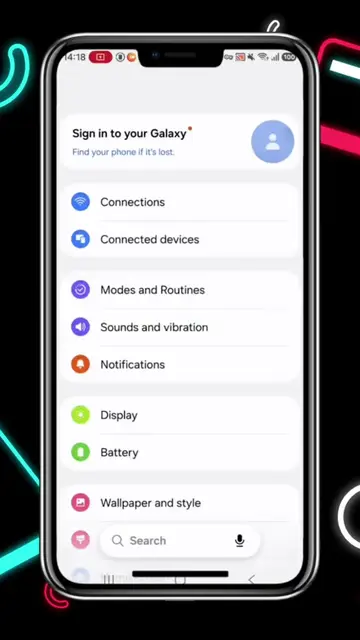
This video provides a tutorial for Samsung phone users on how to extend battery life. It demonstrates three key settings adjustments: changing the performance profile to 'Light', setting a 'Low battery alert' at 25%, and switching 'Motion smoothness' to 'Standard' while reducing screen brightness.
Samsung Mobile Tricks 🔥😱 Follow & Share #samsung #samsungmobile #tricks #battery #creatorsearchinsights
SAMSUNG USER WATCH THIS
Intro with on-screen text and logo
Explain the goal: double battery life
Step 1: Device Care > Performance Profile > Light
Step 2: Modes and Routines > Search Battery > Set alert at 25%
Step 3: Display > Motion Smoothness > Standard & reduce brightness
Conclusion: Double battery life achieved
Samsung (phone brand): Acts - the video is a tutorial on how to optimize battery life on Samsung phones. Removing it would change the video's subject. Samsung Mobile Tricks (logo/text): Appears - this is a branding element for the content, not a product being sold. Removing it would not change the video's functionality.
Save this video
Playing this video’s own audio, so you’ll hear the creator over the sound.
Promotes 7 products. Create free account to see more.
Outliers and viral hits: their videos on Overshot, all time.
Discover the latest in electronic & smart appliance technology with Samsung. Find the next big thing from smartphones & tablets to laptops & tvs & more.
All time.