Loading video…
Sound

original sound - futuretalkwith_ni
futuretalkwith_nidhi · Original audio
0:00–:––
Playing this video’s own audio, so you’ll hear the creator over the sound.
This video promotes it, but we haven’t matched it to a product page yet, so there are no product figures.
The video addresses a common pain point for iPhone users (battery life) and offers actionable, easy-to-follow tips presented with clear on-screen visuals. The 'secret' framing and the promise of longer battery life create intrigue and encourage engagement.
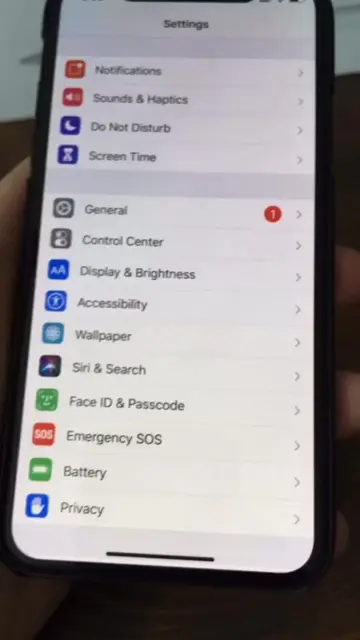
This video provides three tips to improve iPhone battery life by adjusting settings. It instructs viewers to disable certain Siri functions, enable 'Reduce Motion' and 'Prefer Cross-Fade Transitions' in Accessibility, and turn off 'Background App Refresh' for Wi-Fi and mobile data.
3 IPhone Battery Saving Tips You need to know Now!iphone battery, iphone battery tips, iphone battery drain, iphone battery saving tips, iphone battery health, iphone settings, iphone tricks, iphone hidden settings, iphone secret settings, iphone battery life, battery saving tips, ios settings, ios tips, ios tricks, apple iphone, iphone users, background app refresh, siri settings, reduce motion, iphone 17, ios 26, iphone hacks, tech tips, smartphone tips, youtube shorts, shorts#iphone #iphonebattery #batterytips #batterytech #battery
APPLE DOESN'T WANT YOU TO KNOW THIS SECRET
Introduce the problem of iPhone battery drain
Adjust Siri settings
Adjust Accessibility and Motion settings
Disable Background App Refresh
Call to action to save and share
Apple: ACTS - it is the manufacturer of the iPhone, and the video provides tips on how to optimize its battery life. Removing it would change the context of the video. iPhone: ACTS - it is the device being discussed and optimized. Removing it would change the context of the video. Siri: ACTS - it is a feature of the iPhone that is adjusted to save battery. Removing it would change the video's instructions. Apple Store: APPEARS - it is an app listed on the iPhone settings screen. Removing it would not change the video's instructions. ChatGPT: APPEARS - it is an app listed on the iPhone settings screen. Removing it would not change the video's instructions. Chrome: APPEARS - it is an app listed on the iPhone settings screen. Removing it would not change the video's instructions.
SAVE & SHARE
Playing this video’s own audio, so you’ll hear the creator over the sound.
Promotes 7 products. Create free account to see more.
Outliers and viral hits: their videos on Overshot, all time.