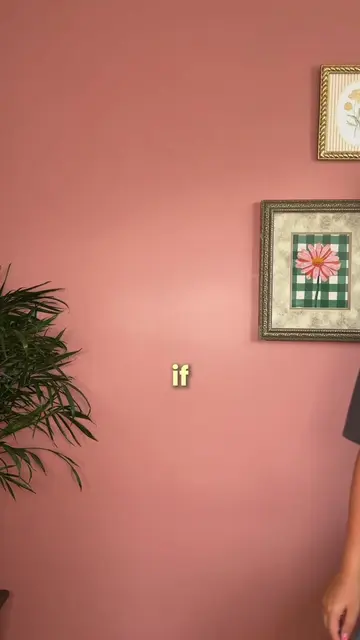
Loading video…
All breakouts 3 videos2 creators
11.3App DemoHow-To hookCreator Economy
Hook
how to do: screen pop up effect
@jennasharp13
15.8K followers · usually 2.5K views a post
Views
27.9K
Likes
1.3K
Comments
46
Shares
330
Promoted product
Chance AI
Ask AI about photos and screenshots. Get object names, style words, visual clues, context, and better search terms.
Why it worked
The video provides a clear, step-by-step tutorial for a visually appealing effect that is popular on social media. The use of native mention and a clear demonstration of the editing process makes it easily replicable for viewers.
Summary
This video demonstrates how to create a "screen pop-up effect" using CapCut. It involves recording yourself pretending to scroll, screen recording a desired interface, layering these clips, and then using CapCut's features like background removal and opacity adjustments to achieve the effect.
Structure
- 1Introduce the "screen pop-up effect" and its ease of creation.
- 2Record yourself pretending to scroll and screen record a desired interface.
- 3Import clips into CapCut and layer them.
- 4
Original caption
screen pop up effect tutorial 📱🧚✨ steps below: 1. record yourself pretending to scroll & screen record whatever screen you’d like. 2. add both clips into @capcutapp and then add screen recording as an overlay. 3. drag screen recording as you’re about to tap. 4. duplicate main clip and add as overlay. 5. the third layer of you pretending to scroll, tap remove background and press auto removal. 6. click on screen recording and change opacity to about 50%. 7. scroll over to effects and choose player 3. press adjust and slide texture down to zero to get rid of that player icon. then rotate to make it look flesh to wall 8. if you want it to pop out as well, use keyframe, first one at the beginning make screen really small then move up just a tad as you tap wall and make the screen bigger. you might have to play around a bit to match timing! & that’s it! happy editing!!! make sure to follow so you don’t miss the next tutorial :)! #ugc #ugccontentcreator #tutorial #editingtips #editingtutorial
More from @jennasharp13
More breakout videos from this creator.