Why it worked
The video provides a clear, step-by-step tutorial on a useful feature within TikTok, directly addressing a common user need for content control and feed customization. This practical value likely resonated with users seeking to improve their viewing experience.
Summary
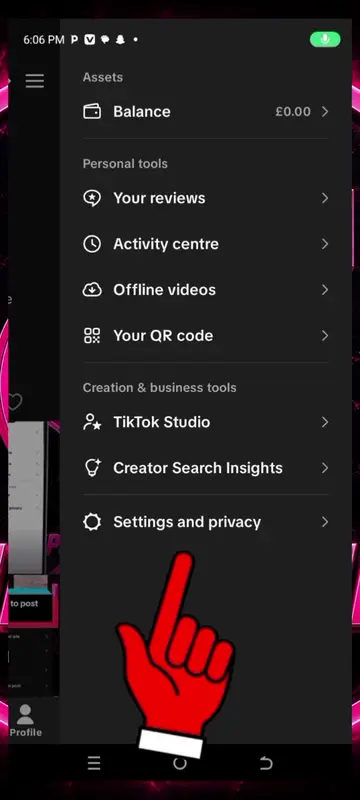
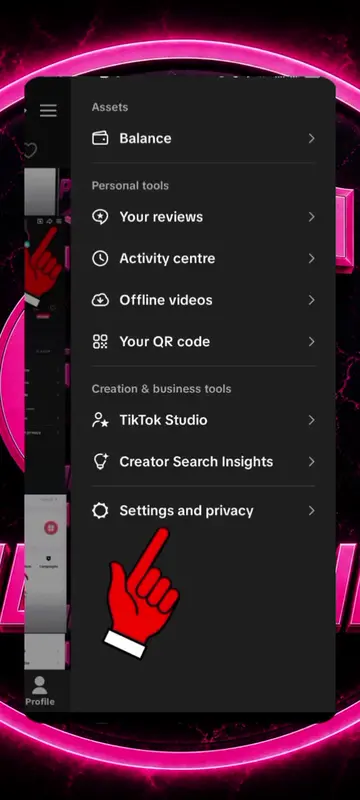
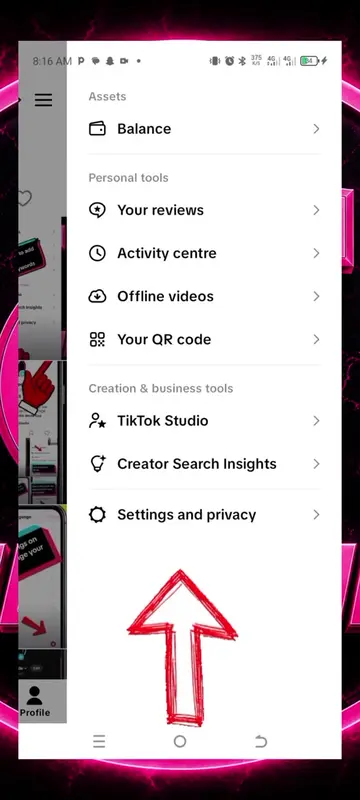
The video demonstrates how to filter keywords within TikTok's content preferences. It shows the user navigating to settings, then content preferences, and finally to the filter keywords section where they add "growthtips", "contentcreation", and "1 million views" as keywords to filter their feed.
On-screen text
Spill the tea
Assets
Balance
Personal tools
Activity centre
Offline videos
Your QR code
Creation & business tools
TikTok Studio
Settings and privacy
Activity
Manage posts
Content preferences
LIVE
Notifications
Time and well-being
Family Pairing
Account
Account
Security and permissions
Share profile
Visibility
Content preferences
Filter keywords
2 keywords
When you filter a keyword, you won't see posts in your selected feeds that contain that word in any titles, descriptions or stickers.
growthtips
Filter from: For You, Following, LIVE
contentcreation
Filter from: For You, Following, LIVE
Add keyword
Add keywords
Enter multiple keywords separated by commas to filter from selected feeds
Enter a word, phrase or hashtag
Smart filter
Filter out similar keywords and variations. For example, the keyword Cat also filters cats, c a t, and kitten..
Filter from
Select all
For You
Following
Friends
LIVE
Keywords filtered
3 keywords
When you filter a keyword, you won't see posts in your selected feeds that contain that word in any titles, descriptions or stickers.
growthtips
Filter from: For You, Following, LIVE
contentcreation
Filter from: For You, Following, LIVE
1 million views
Filter from: For You, LIVE