Loading video…
Sound

original sound - lamishowtube
Lamishow Tips · Original audio
0:00–:––
Playing this video’s own audio, so you’ll hear the creator over the sound.
Hook
Posted Jul 30, 2026Video · 0:45by @lamishowtube
We didn’t find a product being promoted in this video. Its hook, format and structure below still show why it took off.
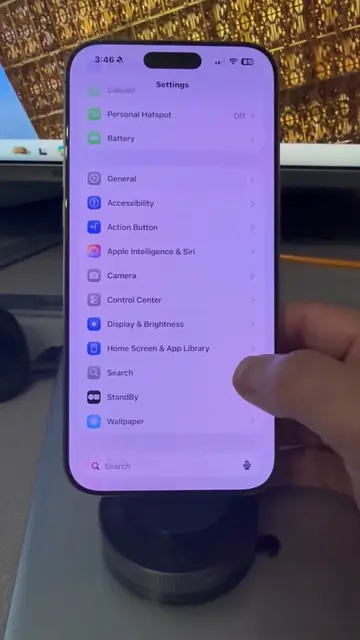
Browse products winning on TikTokWant to stop your iPhone from showing the contact-sharing popup when you bring it close to another iPhone?
iPhone (acts: a device used to demonstrate a feature and settings; removing it would change what happens in the video)nNameDrop (acts: a feature of iPhone that is being enabled/disabled; removing it would change what happens in the video)nAirDrop (acts: a feature of iPhone that is being configured; removing it would change what happens in the video)nLamishow Tips (appears: creator's name/handle on screen and in bio; removing it would not change what happens in the video)nYouTube (appears: creator's bio link points to YouTube channel; removing it would not change what happens in the video)
Want to stop your iPhone from showing the contact-sharing popup when you bring it close to another iPhone? Or want to turn the feature back on? In this video, I show you how to enable or disable NameDrop (Bring Devices Together) on iPhone. It's quick, easy, and helps you control how your contact information is shared with nearby iPhones. Follow Lamishow Tips for more iPhone tips, iOS tricks, and simple tech tutorials in Afaan Oromo and English. Tags: iPhone Tips, NameDrop, Bring Devices Together, iPhone Contact Sharing, AirDrop, iOS Tips, iPhone Settings, Apple Tips, iPhone Tutorial, Lamishow Tips #iPhone #mobiletips #AirDrop #iOSTips #mobiletipsandtricks
Follow Lamishow Tips for more iPhone tips, iOS tricks, and simple tech tutorials in Afaan Oromo and English.
Playing this video’s own audio, so you’ll hear the creator over the sound.
Outliers and viral hits: their videos on Overshot, all time.