Loading video…
All breakouts
3.5Text-HeavyContrarian hookSaaS
Hook
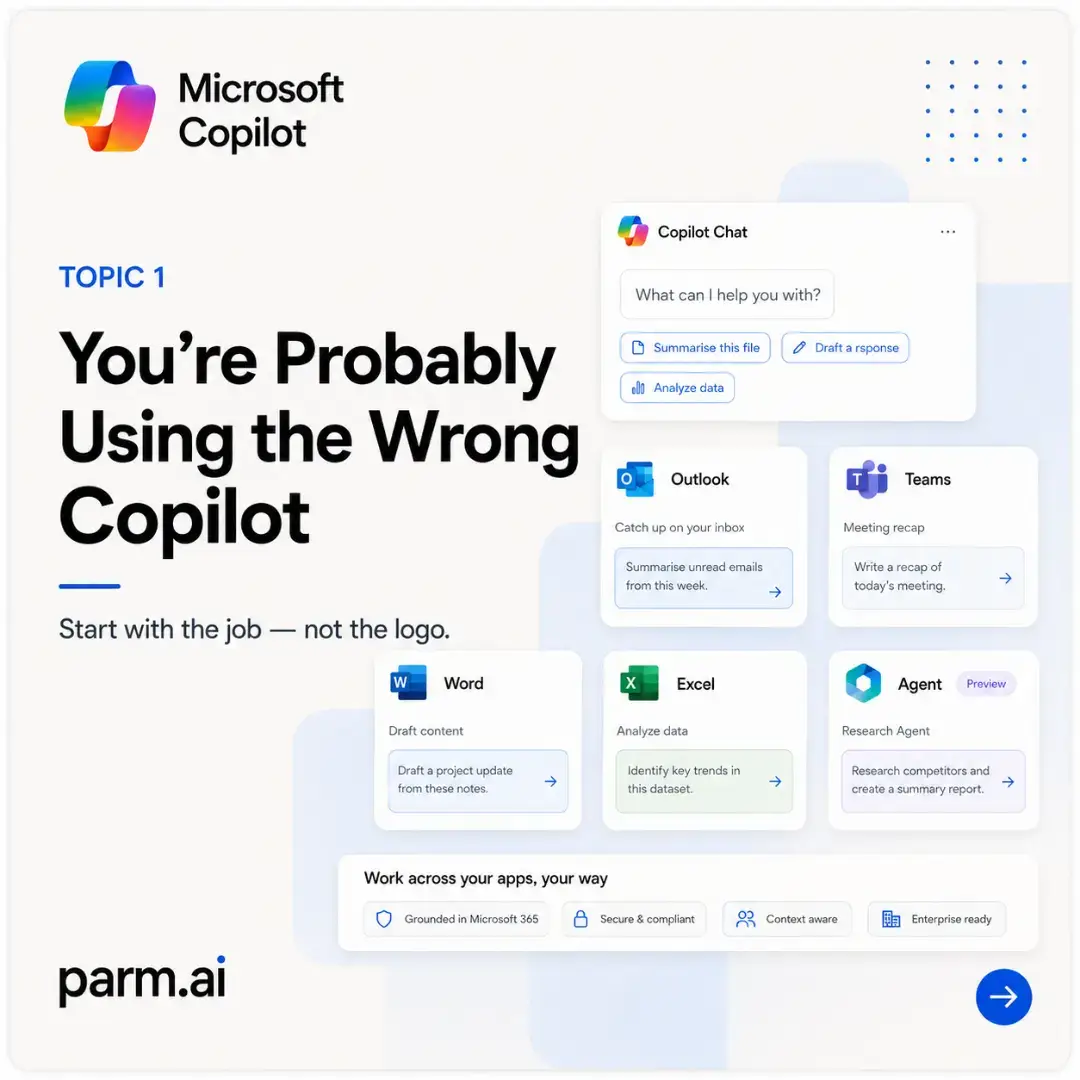
TOPIC 1 You're Probably Using the Wrong Copilot
@parm.ai
3.6K followers · usually 1.6K views a post
Views
2.4K
Likes
54
Comments
0
Shares
8
Why it worked
The post breaks down a complex topic (Microsoft Copilot's various forms) into easily digestible, numbered slides with clear visuals and concise text. It addresses a common user confusion and offers practical guidance, culminating in a valuable free resource (prompt pack).
Summary
This slideshow explains that Microsoft Copilot is not a single experience but varies depending on the application and user's license, data access, and organization's setup. It guides users on choosing the right Copilot for the right job, differentiating between Copilot Chat, Microsoft 365 Copilot, Agent Builder, and Copilot Studio.
Structure
- 1Introduction to the problem: Using the wrong Copilot
- 2Copilot is not one experience
- 3Start with the job, not the logo
Original caption
The same Copilot prompt can produce two very different answers—and the prompt may not be the problem. Microsoft Copilot is often discussed as though it were one consistent assistant. In reality, the experience changes depending on where you open it, what licence is available, what information you can access and what your organisation has enabled. That is why Copilot might summarise the email already open in Outlook but fail to search across your wider mailbox. It might help rewrite the document in Word but produce a different answer when the same request is entered in Copilot Chat. It might answer questions as a focused internal agent, while a solution built in Copilot Studio can use connectors, workflow logic and actions to do considerably more. Microsoft 365 Copilot can use work content that the individual already has permission to access, while Copilot Chat is primarily a web-grounded prompt-and-response experience unless information is supplied or made available through the relevant context. Agent Builder provides a simpler route for creating focused declarative agents, while Copilot Studio supports more advanced agent development and orchestration. � Microsoft Learn +4 This carousel breaks the landscape down into a practical sequence: Define the job. Identify the information required. Choose the correct Copilot surface. Check whether the necessary licence and access exist. Use an agent only when the task genuinely needs to be repeatable. The central lesson is not that one Copilot is universally better than another. It is that each experience has a different role. Before blaming the model—or endlessly adjusting the wording—check the application, context, permissions and capability you are actually using. Save the carousel before you open Copilot again. The slide sequence uses the approved Parm.AI structure for progressive teaching, practical examples and a clear closing takeaway. � � #MicrosoftCopilot #Microsoft365 #CopilotTips #AIForWork #FutureOfWork
More from @parm.ai
More breakout videos from this creator.