Loading video…
Sound

original sound - gramajoconsulting
Eddy, CPA | CPA Career Tips · Original audio
0:00–:––
Playing this video’s own audio, so you’ll hear the creator over the sound.
Hook
Posted Jul 2, 2026Video · 1:15by @gramajoconsulting
This video promotes it, but we haven’t matched it to a product page yet, so there are no product figures.
The video provides a concise and practical tutorial on a highly relevant Excel function for accountants, addressing a common pain point. The clear demonstration and call to action for a related course likely resonated with the target audience.
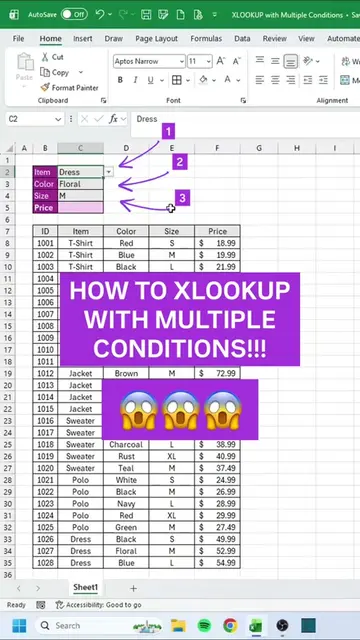
The video demonstrates how to use the XLOOKUP function in Excel to find data from one dataset in another. It explains the formula's arguments, including lookup value, lookup array, return array, and how to handle cases where the value is not found, before showing how to apply the formula to a dataset and drag it down.
Are you using this? #accounting #accountant #exceltips #exceltutorial #excel
The most important formula in Excel that you need to know as an accountant is an XLOOKUP and I'm gonna show you how to do it in less than 60 seconds.
Introduce XLOOKUP as an essential Excel formula for accountants.
Start typing the XLOOKUP formula and use tab to autocomplete.
Define the lookup value (invoice number).
Specify the lookup array (invoice number column in the second dataset).
Define the return array (state column).
Set the 'if not found' value to 'check' and match mode to 0.
Apply the formula and drag it down to fill the column.
Promote an Excel course for accountants, mentioning a discount and a link in the bio.
XLOOKUP: an Excel function that searches a range or array, and returns the item in the same row for the first item found. It ACTS as a lookup function, replacing VLOOKUP and HLOOKUP. Removing it would change what happens in the video.
Check out the discount price, it's going up by $10 next week. Link in bio.
Playing this video’s own audio, so you’ll hear the creator over the sound.
Promotes 3 products. Create free account to see more.
Outliers and viral hits: their videos on Overshot, all time.