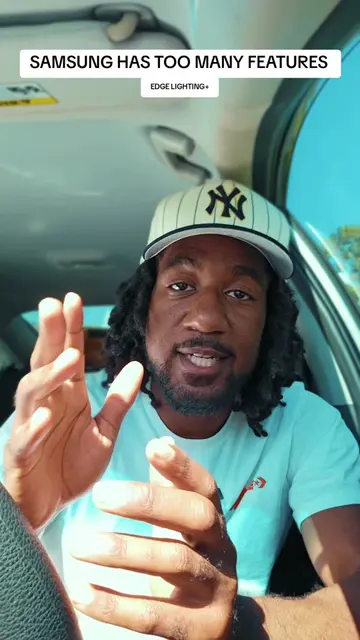
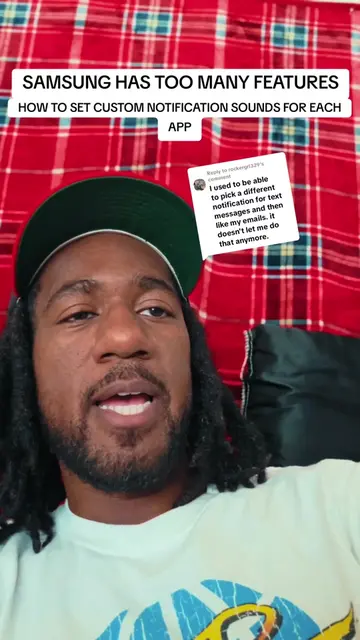
The video provides a practical and creative solution to a common user desire: customizing phone notifications. By demonstrating a unique feature of Samsung phones and offering a step-by-step tutorial, it appeals to users looking for personalization and advanced functionality.
Summary
This video demonstrates how to use a recorded video clip from a Samsung phone as a custom notification sound. It involves renaming the video file to an MP3 and moving it to the notifications folder, then selecting it within the app's notification settings.
Structure
1Introduce the concept of custom notification sounds from videos.
2Demonstrate saving a video and renaming it to an MP3.
3Show how to move the file to the correct folder.
Original caption
Replying to @deeznuttz_956 #samsung #galaxy #android #Tech #fyp
More from @sucoo__
More breakout videos from this creator.
4
Guide through setting the custom sound in WhatsApp notification settings.
5Test the new notification sound.
6Briefly explain how to disable 'Do Not Disturb' during screen recording.
Product placement
Samsung (phone) ACTS - the phone's interface is used to create a notification sound. Removing it would change what happens in the video.
Google Messages (app) ACTS - the app is used to send a text message. Removing it would change what happens in the video.
Good Lock (app) ACTS - the app is used to access settings. Removing it would change what happens in the video.
Nice Shot (app feature) ACTS - a feature within Good Lock is used to toggle a setting. Removing it would change what happens in the video.
On-screen text
SAMSUNG HAS TOO MANY FEATURES!
CREATE YOUR OWN NOTIFICATION SOUNDS FROM A VIDEO
Reply to deeznuttz_956's comment
waiting on part 2!!
DID YOU KNOW
WE'RE GONNA MAKE
A VIDEO HEY
ME WHOEVER YOU
WANT ME TO BE
TELL YOUR FRIEND
A VIDEO LIKE
THIS TELLING THEM
OKAY YOUR FRIEND
VIDEO OR YOU
MADE A VIDEO
GONNA DO
MY FILES AND
YOU'RE GONNA FIND
A VIDEO YOU
THIS IS IT
SuCoo notifications
TO RENAME
SuCoo Noti.mp4
NOTI RIGHT NOW
THIS 4
DELETE IT WE'RE
THREE WE'RE GONNA
CHANGE THE 4
TO A THREE
RENAME IT'S GONNA
CHANGE FILE EXTENSION
THE FILE EXTENSION WILL BE CHANGED. THIS MAY CAUSE THE FILE TO BECOME UNUSABLE.
WILL BE CHANGED
THIS MAY CAUSE
BECOME UNUSABLE
NO IT'S NOT
IT RIGHT NOW
HERE'S A TRICK
WHERE IS THAT
WHEN IT'S LONG
PRESS IT AGAIN
TO MOVE IT
INTO INTERNAL STORAGE
TO THE NOTIFICATIONS
FOLDER RIGHT HERE
IT IN THERE
IN ORDER FOR
YEP I ALREADY
BUT YOU MOVE
IT IN THERE NOW
SETTINGS WHEN YOU
GO TO APPS
WE'RE GONNA GO
TO WHATSAPP YOU
TO ANY UH
APP YOU WANT
IS WHATSAPP ON
MY GOSH
ALRIGHT WHATSAPP AND
TO NOTIFICATIONS RIGHT
HERE NOTIFICATION
CATEGORIES DOWN THERE
MESSAGE NOTIFICATIONS RIGHT
TO SOUND
AND WE'RE GONNA
PICK THE ONE
NOT WHERE IT
AT RIGHT HERE
IT'S ME NOW
LET'S TEST THIS
I'MMA TEXT MYSELF
OH HOLD ON I GOT IT ON DO
I'M DOING UM
SCREEN RECORDINGS HOLD
ON ALRIGHT REAL
QUICK HOW TO PUT
DO NOT DISTURB ON AND OFF
SCREEN RECORDING
GOOD LOCK YOU
GO TO NICE SHOT
AND RIGHT HERE
DURING SCREEN RECORDING
TOGGLE THAT OFF
NOW LET'S TEXT
MYSLEF AGAIN
CAN YOUR PHONE DO THAT?
HEY PICK UP
IT'S ME WHOEVER
YOU WANT ME TO BE
ON YOUR PHONE
UM HAVE YOUR
PEOPLE SEND YOU VIDEOS
OR SOUND BITES
OF WHAT YOU
THEY TEXT YOU UM
AND YES IF
3 IT'S STILL
A FOR THAT
MAKES SENSE
THAT MP3 IS
SIZE OF THE
VIDEO SO YOU CAN
RECORD IN 720P
TO KEEP IT
YOU KNOW
YOU JUST NEED THE SOUND
THAT'S IT BUT
YEAH YOUR PHONE
CAN DO THAT
Transcript
Did you know your phone can do this? I need you to know that you could do this. I need you to know that this is possible. We're gonna make a video. Hey, pick up. It's me. Whoever you want me to be. Tell your friend a video like this, telling them. Okay, your friend video or you made a video. Gonna do my files and you're gonna find a video you. This is it. SuCoo notifications.mp4. To rename. SuCoo Noti.mp4. Noti right now. This 4. Delete it. We're three. We're gonna change the 4 to a three. Rename it's gonna. Change file extension. The file extension will be changed. This may cause the file to become unusable. Will be changed. This may cause. Become unusable. No, it's not. It right now. Here's a trick. Where is that? Right here. When it's long. Press it again. To move it. Into internal storage. To the notifications folder right here. It in there. In order for. Yep, I already. But you move it in there now. Settings when you. Go to apps. We're gonna go. To WhatsApp you. To any uh. App you want. Is WhatsApp on? My gosh. Alright, WhatsApp. And. To notifications right. Here notification. Categories down there. Message notifications right. To sound. And we're gonna. Pick the one. Not where it. At right here. Hey, pick up. It's me. Whoever you want me to be. That's it. Boom. And that's it right there. But if you just. Want individual notification sounds from text messages. What you gotta. Do is go. To Google Messages. I know, I know. Going to Google. Messages right. And in Google Messages, you gonna click up here. We see the picture. And then you're gonna go to. Notifications right here. Click on notifications. Conversations. Can your phone do that? Incoming messages, default settings. Priority. Show this conversation at the top of the notifications list and bubble it by default. Alert. Silent. Bubble this conversation. This conversation will be displayed on top of other apps and new messages will show as bubbles. Bubble settings for this app. Show as pop-up. Sound. 9750. Vibrate. App icon badges. Lock screen. Hide content. Gonna go to sound. 1997 50. I don't know what that is. But we're gonna. Go back to SuCoo Noti. Hey, pick up. It's me. Now. Let's test this out real quick. I'm gonna text myself. Oh, hold on. I got it on do not disturb. I'm doing um. Screen recordings, hold. On alright, real quick. How to put do not disturb on and off. When you're screen recording. Good Lock. You. Go to Nice Shot. And right here. Do not disturb during screen recording. Toggle that off. Now, let's text myself again. Can your phone do that? Hey, pick up. It's me. Whoever you want me to be. On your phone. Um, have your people send you videos or sound bites. Of what you. They text you um. And yes, if you change the 4 to a 3. It's still the size of a 4. That makes sense. That MP3 is the size of the video. So you can record in 720p to keep it. You know. You just need the sound. That's it. But yeah, your phone can do that.