Loading video…
All breakouts
 CSS Peekhttps://marketplace.visualstudio.com/items?itemName=PranayPrakash.css-peek ↗
9.3App DemoDirect Question hook
Hook
Have you ever notice this
@talbcode
6.7K followers · usually 803 views a post
Views
7.5K
Likes
477
Comments
3
Shares
25
Selling · SaaS › Developer Tool
Summary
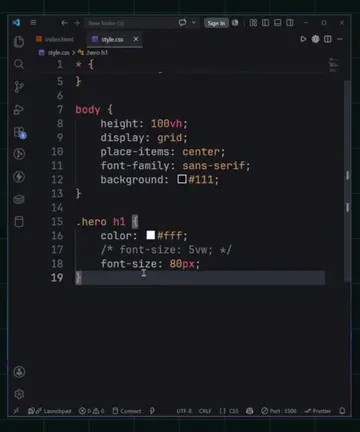
This video demonstrates how to use the CSS Peek VS Code extension to quickly find and edit CSS styles associated with HTML elements. By holding Ctrl and clicking on a class name, users are taken directly to the relevant CSS code, streamlining the development process.
Transcript
Have you ever notice this whenever we want to style a specific element, we usually spend time searching for its CSS. If we can't find it, we press Control + F, type the class name and then edit the styles. But there's a much faster way. Just install the CSS Peek extension. Now, let's say I want to edit the styles for this element. Instead of searching through my CSS files, I simply hold Control and click on the class name. It instantly takes me to the corresponding CSS where I can edit the styles right away. Follow for more web development tips.
More from @talbcode
Their other posts in the index, biggest breakout first.