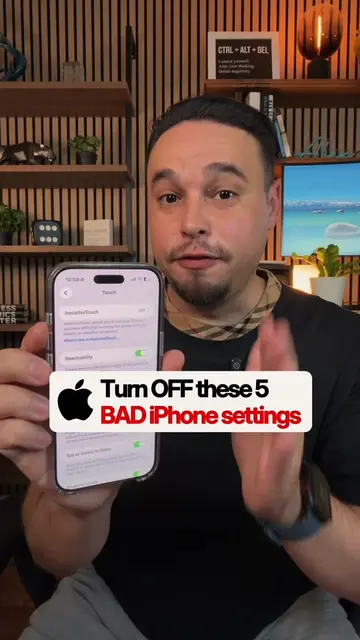
Loading video…
All breakouts
7.2Talking HeadHow-To hookConsumer Apps
Hook
Hidden iPhone Hacks
@alexeztechtips
344.7K followers · usually 45.7K views a post
Views
321.0K
Likes
9.8K
Comments
54
Shares
923
Promoted product
iPhone
Why it worked
The video provides practical, actionable tips for iPhone users, focusing on features that offer immediate convenience and efficiency. By demonstrating 'hidden' functionalities, it taps into users' desire to optimize their device usage and discover lesser-known capabilities.
Summary
This video showcases four hidden iPhone features: clearing all notifications with a long press, copying edits across multiple photos, assigning the camera button to a specific app like Instagram, and a new timer interface in iOS 27. These tips aim to enhance user efficiency and customization on their iPhones.
Structure
- 1Clear all notifications with a long press
- 2Copy edits across multiple photos
- 3Assign camera button to a specific app
- 4New iOS 27 timer interface
Product placement
iPhone (device): ACTS - the interface is operated, it generates a visible result (editing photos, setting timers, clearing notifications). Removing it would change what happens in the video.
Instagram (app): ACTS - it is selected as a camera shortcut, implying its interface will be operated. Removing it would change what happens in the video.
iOS 27 (software): ACTS - a new feature of this software is demonstrated. Removing it would change what happens in the video.
On-screen text
Hidden
iPhone Hacks
if
full
notifications
instead
press
from
tap
notifications
next
edit
photos
settings
the same
one
photo
you
the
dots
on
Edits
toggles
copy
back
other
then
small
and
Edits
if
the
button
make
for
your
click
now
Camera
under
Camera
it
Instagram
Snapchat
press
your
app
lastly
iOS 27
you
the
have
clean
which
swipe
right
duration
can
here
video
save
these
two
Original caption
4 Hidden iPhone Features 🔓 ✅ Clear all notifications in 1 tap ✅ Copy edits across photos instantly ✅ Turn Camera Control into a shortcut ✅ New iOS 27 timer trick iPhone tips • iPhone hidden features • iOS 27 #iphonetips #iphonetricks #iphonehack #iphonetipsandtricks #iphone
More from @alexeztechtips
More breakout videos from this creator.