Loading video…
All breakouts
4.9Text-HeavyOther hookSaaS
Hook
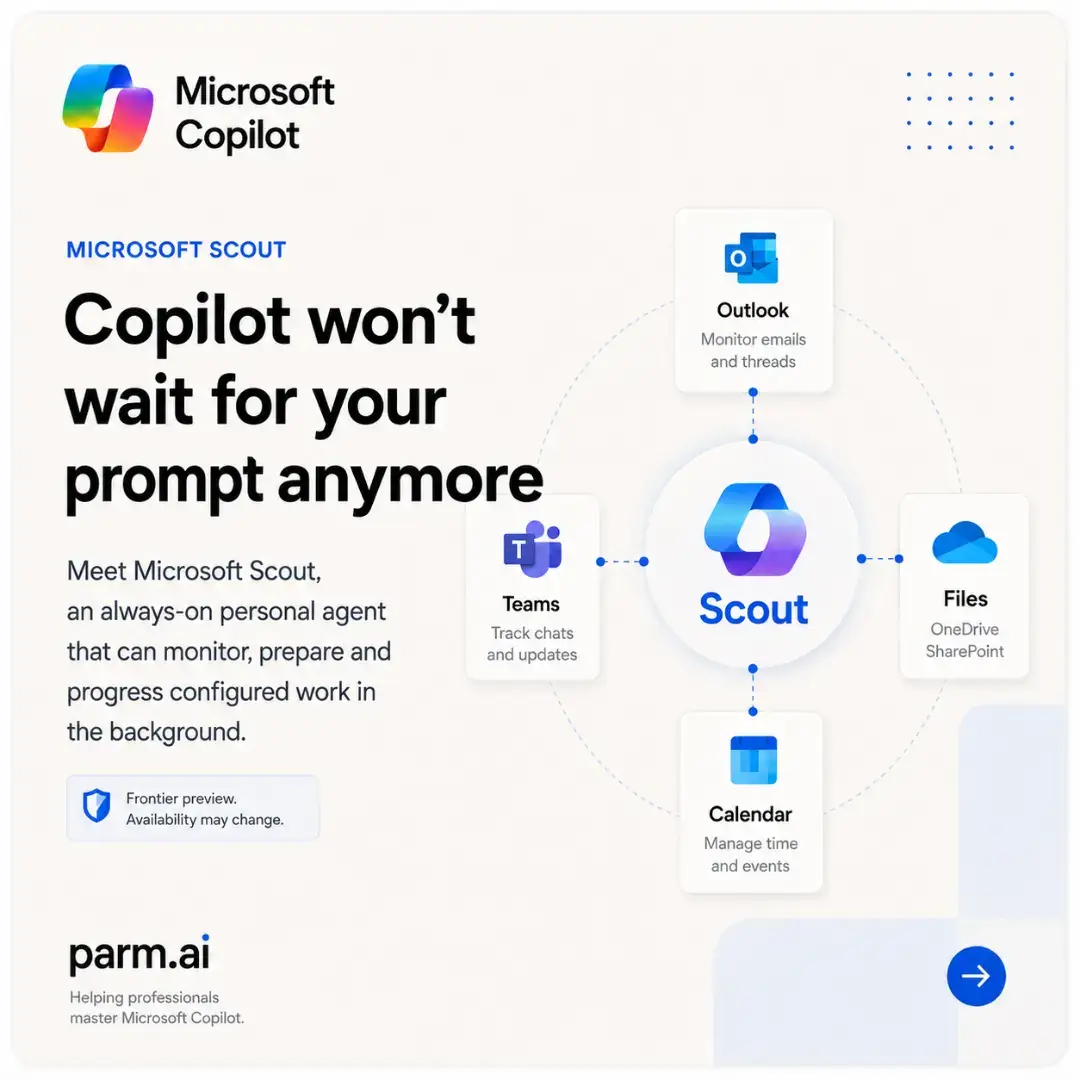
Microsoft Copilot Copilot won't wait for your prompt anymore
@parm.ai
3.6K followers · usually 1.6K views a post
Views
3.4K
Likes
90
Comments
3
Shares
15
Promoted product
Microsoft Scout
Why it worked
The content breaks down a complex AI tool into easily digestible slides, using clear visuals and concise text to explain its functionality and benefits. It addresses a potential pain point for users (waiting for prompts) and offers a proactive solution, making it highly relevant and valuable to the target audience.
Summary
This carousel introduces Microsoft Scout, an AI agent that proactively monitors and prepares work in the background, integrating with Microsoft 365 services like Outlook, Teams, and Calendar. It explains how Scout evolves Copilot from a reactive chat tool to a proactive coordination system, detailing its features, workflow, and the necessary requirements for its use.
Structure
- 1Introduction to Microsoft Scout
- 2Evolution of Copilot: Chat to Action
- 3Scout's integration with Microsoft 365 (Work IQ)
- 4Proactive coordination features
Original caption
Most people still use Microsoft Copilot in the same way they used search engines: Open it. Type a prompt. Wait for an answer. Microsoft Scout points towards something far more disruptive. Instead of waiting for another instruction, Scout is designed to remain connected to your permitted Microsoft 365 environment, monitor configured signals and prepare work in the background. ⚡ That changes the relationship completely. Copilot Chat responds when you ask. Copilot Cowork handles multi-step work you delegate. Microsoft Scout is designed to monitor, prepare and progress configured activity while you are focused somewhere else. Imagine starting your day and discovering that Scout has already: 📅 Checked your calendar for important meetings and scheduling conflicts 📨 Reviewed permitted Outlook and Teams activity for urgent developments 🚧 Identified a stalled decision or emerging project blocker ⏰ Flagged an upcoming milestone that may be at risk 📝 Prepared a concise meeting briefing 🧭 Suggested preparation time before a critical conversation 💬 Drafted a follow-up message for your approval This is the difference between reactive assistance and proactive coordination. Scout’s Heartbeat capability can run a configured prompt at regular intervals during defined working hours. Depending on the setup, that could mean checking every 15, 30, 60 or 120 minutes for the signals you have asked it to monitor. Automations can also run on a schedule, start when a condition changes or execute once for a specific task. 🔄 The important point is that you define the rule. Scout does not randomly decide how to run your working life. You configure what it should watch, when it should operate and what actions it is permitted to take. Sensitive actions can still pause for approval. Before a message is sent, a Teams update is posted or another consequential action is taken, you can review the proposal, approve it once, allow that type of action in future or reject it entirely. 🛡️ That human checkpoint is not a limitation. It is what makes proactive AI usable in professional environments. For project managers, PMO teams, consultants, programme leaders and operations professionals, the potential workflow is powerful: A morning Heartbeat checks the calendar, project files, milestones and recent conversations. Scout surfaces what needs attention. It prepares the context. You make the judgement. The work moves forward. 🚀 There is also an important reality check. Microsoft Scout is currently a Frontier preview rather than a feature available to every Copilot user. Access depends on licensing, organisational enablement, supported devices and administrator configuration. Features and requirements may change as Microsoft continues developing the experience. But the direction is already clear. The next phase of Copilot is not simply about producing better answers. It is about recognising what needs attention, preparing the next step and helping approved work progress before you remember to ask. The question is no longer: “What should I prompt Copilot to do?” The more important question is: “What should Copilot keep watching while I am busy doing something else?” 👁️ Would you trust an AI agent to prepare your working day before you logged in? #MicrosoftCopilot #MicrosoftScout #AIAgents #Microsoft365 #FutureOfWork
More from @parm.ai
More breakout videos from this creator.