Loading video…
Sound

last sip
Malia B.
0:00–:––
- Videos using it
- 379
- Creators
- 326
- Views on those videos
- 86.1M
The video provides practical, actionable tips for new MacBook users, presented in a clear, step-by-step format. The focus on customization and efficiency appeals to users looking to optimize their device experience, making it highly shareable within the tech-savvy audience.
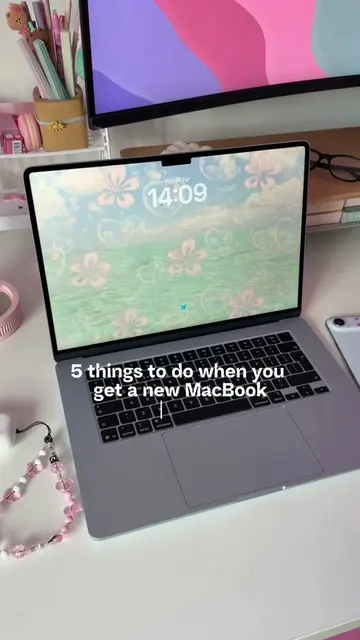
This video demonstrates six tips for optimizing a new MacBook, covering dock customization, menu bar tidying, battery percentage display, Finder path bar activation, and wallpaper/widget adjustments. The creator shows how to personalize the macOS experience for better efficiency and aesthetics.
EP. 1 | Tech Maxxing so you can make the most out of the devices and tools at your disposal 🫶🏼 What should I do next? #Tech #techmaxxing #TechTips #apple #macbook
EP. 1 | TECH-MAXXING
Opening and introducing the "Tech Maxxing" series
Customizing the Dock by removing apps and adjusting settings
Tidying the menu bar and customizing the Control Center
Enabling battery percentage view in the menu bar
Showing the Finder path bar for easier navigation
Customizing the desktop appearance with wallpaper and widgets
Apple MacBook (appears, removing it would change what happens in the video) macOS (appears, removing it would change what happens in the video) System Settings (appears, removing it would change what happens in the video) Finder (appears, removing it would change what happens in the video) Safari (appears, removing it would change what happens in the video) Chrome (appears, removing it would change what happens in the video) Photos (appears, removing it would change what happens in the video) App Store (appears, removing it would change what happens in the video) Calendar (appears, removing it would change what happens in the video) Mail (appears, removing it would change what happens in the video) Messages (appears, removing it would change what happens in the video) Notes (appears, removing it would change what happens in the video) Reminders (appears, removing it would change what happens in the video) Timer (appears, removing it would change what happens in the video) Settings (appears, removing it would change what happens in the video)
Promotes 2 products. Create free account to see more.
Outliers and viral hits: their videos on Overshot, all time.
macOS 27 Golden Gate with all-new Siri AI powered by Apple Intelligence and new features for a more responsive, delightful experience.
All time.