Loading video…
All breakouts
110App DemoDirect Question hookAI Tools
Hook
So I have this app fully designed. What do I do now?
@radnolan
363.0K followers · usually 14.7K views a post
Views
1.6M
Likes
152.3K
Comments
619
Shares
3.8K
Why it worked
The video provides high-value, actionable professional advice for a specific niche (UI/UX designers) using clear, visual demonstrations that make complex workflows easy to understand.
Summary
The creator explains the process of handing off app designs from Figma to a developer. They provide tips on organizing files, annotating designs, and accounting for empty states.
Structure
- 1Identify the problem of design handoff
- 2Explain the importance of organizing Figma files
- 3Demonstrate how to annotate designs for developers
- 4Advise on designing for empty states and edge cases
Product placement
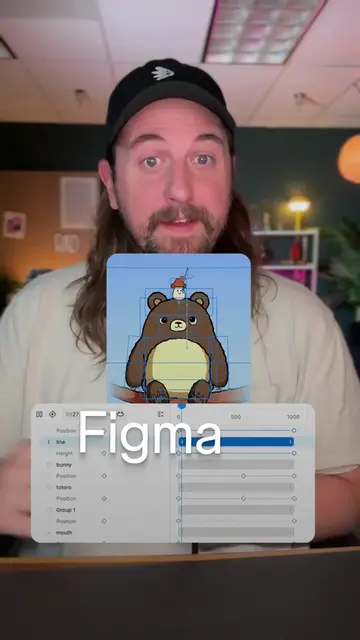
Figma is mentioned and shown as the design tool being used, but it is the industry-standard tool for the task being taught, not a promotional placement.
On-screen text
So I have this app fully designed. What do I do now?
YOU CODE IT
ACTUALLY YOU FIND SOMEONE ELSE TO CODE IT
ORGANIZE YOUR FIGMA FILE
ANNOTATE YOUR DESIGNS
SETUP THE EMPTY STATES
Transcript
So I have this app fully designed. What do I do now? You code it. Actually, you find someone else to code it. Your designs need to be handed off to a developer. Being good at this separates a good designer from a great one. First, you organize your Figma file. Try to break up sections based on flows, where each flow is a row and the screens in the flow go to the right. Also, label them to make it easy to reference. Now you go and annotate the designs. Leave notes near screens that will help them understand how one screen connects to the next. Also, try to clear up any complex interactions with these notes. Next, you set up the empty states. When you design, you usually make a perfect state with data that isn't realistic. People have long names, they make weird corner cases, and when they start out, they don't have any data. It's up to you to think about that and design the corner cases.
Original caption
Replying to @zarotech so Figma is a design tool, not a development tool. To have an app launch on the app store, you need to first develop it. But in order for development to be ready to code it, you need to have your designs setup for the design to development handoff. Organizing your Figma file is the first step. You design a great app, you need to make sure it’s easy for a developer to make sure they find all of the states and varying interaction design that you’ve created. Speaking of Interaction Design, you have to annotate your Figma design with notes to the developer that are inline with the designs themselves. This will help get ahead of questions the developer will have and will make it so they can focus on making the designs perfect rather than trying to understand the design you made (yes, this is internal UX design) Finally, you need to make sure that you setup all the empty states, zero states, and optimize the designs for varying data. This is a big piece that will take you from a good ui/ux designer to a great designer. Designers and developers have to work together, or else the vision will not come to life. If developers don’t like working with you, you won’t be able to bring your product design to life. #figma #productdesign #productdevelopment #product #uiux #designtutorials #figmatutorials #appdesign #appdevelopment
More from @radnolan
More breakout videos from this creator.