Loading video…
Sound

original sound - wannabetechsavvy
Wanna Be Tech Savvy · Original audio
0:00–:––
Playing this video’s own audio, so you’ll hear the creator over the sound.
This video promotes it, but we haven’t matched it to a product page yet, so there are no product figures.
The video provides an immediate, high-value solution to a common and frustrating Excel problem, building authority before delivering a soft CTA.
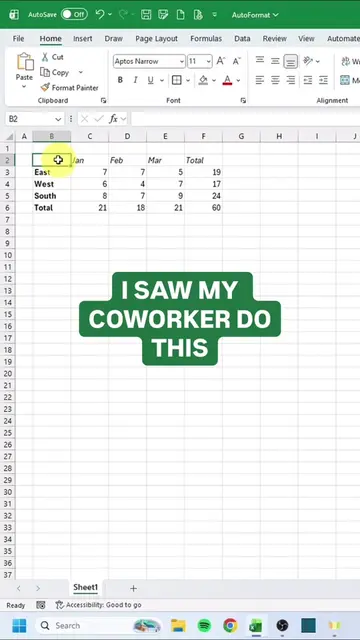
The video demonstrates a quick Excel trick to transpose data from rows to columns to avoid horizontal scrolling. It concludes by encouraging viewers to follow the creator's brand for more tech tips and training.
🤡 It’s April Fools’ Day… but this Excel trick is NOT a joke. 📊 Still retyping your spreadsheet when rows need to become columns? 💡 Use Paste Transpose to switch them instantly. ⏱ Save time ✅ Reduce mistakes ✨ Feel more confident using Excel at work 🚀 Want step-by-step training that actually makes tech easier to learn? Start here: www.wannabetechsavvy.com #ExcelTips #MicrosoftExcel #ExcelForBeginners #DigitalSkills #OfficeSkills #TechConfidence #LearnExcel #WorkSmarter #CareerSkills #wbts #wannabetechsavvy #techsavvy
Let's export this report into a CSV file.
Exporting a report to CSV
Identifying the horizontal scrolling problem
Demonstrating the Paste Transpose shortcut
Showing the final transposed data
CTA to follow for more tech tips
The creator promotes their own brand 'Wanna Be Tech Savvy' as the source for tech training.
Follow Wanna Be Tech Savvy for more quick tech tips like this.
Playing this video’s own audio, so you’ll hear the creator over the sound.
Outliers and viral hits: their videos on Overshot, all time.