Loading video…
All breakouts
48.7Talking HeadHow-To hookAI Tools
Hook
If you have access to Microsoft Copilot at work and you have not yet created your first agent, here is the first one you should set up.
@robert.triebwasser
21.9K followers · usually 3.9K views a post
Views
181.2K
Likes
5.9K
Comments
37
Shares
2.5K
Promoted product
Wasser AIhttps://wasserai.ca/links ↗
Why it worked
The video provides high-value, actionable technical advice that solves a common pain point (AI-sounding emails) using a popular enterprise tool, establishing the creator as an expert.
Summary
The creator demonstrates how to build a custom Microsoft Copilot agent that mimics the user's personal writing style to avoid sounding like AI. He guides the viewer through creating a style guide based on past emails and configuring the agent within the Copilot interface.
Structure
- 1Identify the problem of AI-sounding emails
- 2Explain how to create a personal writing style guide
- 3Demonstrate the agent creation process in Copilot
- 4Show how to configure and test the new agent
Product placement
Microsoft Copilot is the tool being demonstrated, while the creator's own consulting services (Wasser AI) are the implied product being sold via the bio link.
On-screen text
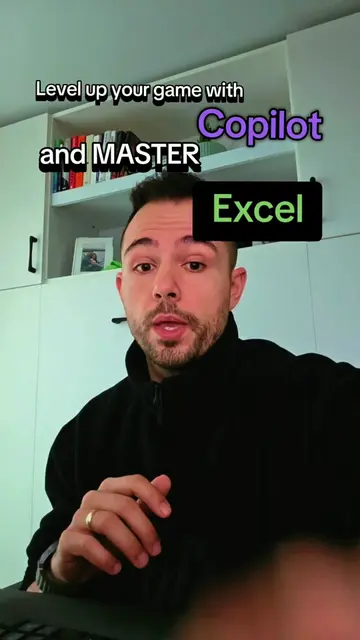
Build your first Copilot Agent
TO CLONE YOU!
so your emails don't sound like AI
FIRST STEP IS
INTO CO PILOT
THERE IS A
REALLY GOOD WIKIPEDIA
PAGE ABOUT THIS
UPDATE YOUR STYLE
AND WRITING GUIDE
IF YOU LIKE
THE NEXT STEP
IS YOU ARE GOING TO
COME INTO CO PILOT
AND YOU ARE GOING TO
SELECT CREATE AN AGENT
AND THEN YOU ARE JUST
GOING TO DESCRIBE TO
CO PILOT WHAT TYPE
OF AGENT YOU ARE
TRYING TO CREATE
YOU ARE GOING TO THEN
UPLOAD THAT DOCUMENT
THAT YOU JUST
DOWNLOADED
AND THEN YOU ARE GOING
TO PRESS CREATE
ONCE IT IS CREATED
YOU ARE GOING TO NOTICE
YOU COME INTO THE
CONFIGURE SECTION
AND IT IS ALL
PRE FILLED OUT
FOR YOU
AND YOUR AGENT
IS BUILT
Original caption
If you are using Microsoft Copilot to rewrite emails. Make sure they don't sound like CHAT GPT. There is nothing worse than the person who always sounds like you are speaking with an AI and not a Human. To fix this, create an agent that is trained on your own voice, so it actually sounds like YOU! #copilot #outlook #learnai #aiforbusiness #aiforbeginners
More from @robert.triebwasser
More breakout videos from this creator.