Loading video…
Sound

Make Some TikTok
Official Sound Studio
0:00–:––
- Videos using it
- 3
- Creators
- 2
- Views on those videos
- 2.9M
Hook
Posted Sep 18, 2026Video · 0:12by @aitechnologystudio1
The video provides highly specific and actionable prompts for a popular AI tool, directly addressing common pain points in office productivity. By categorizing prompts by application, it offers clear value and makes the information easily digestible and reusable for viewers.
This video showcases a list of 40 prompts designed to enhance productivity using Microsoft Copilot across various Office applications like Excel, PowerPoint, Outlook, and Teams. It demonstrates how specific prompts can streamline tasks such as data analysis, presentation building, email management, and meeting summarization.
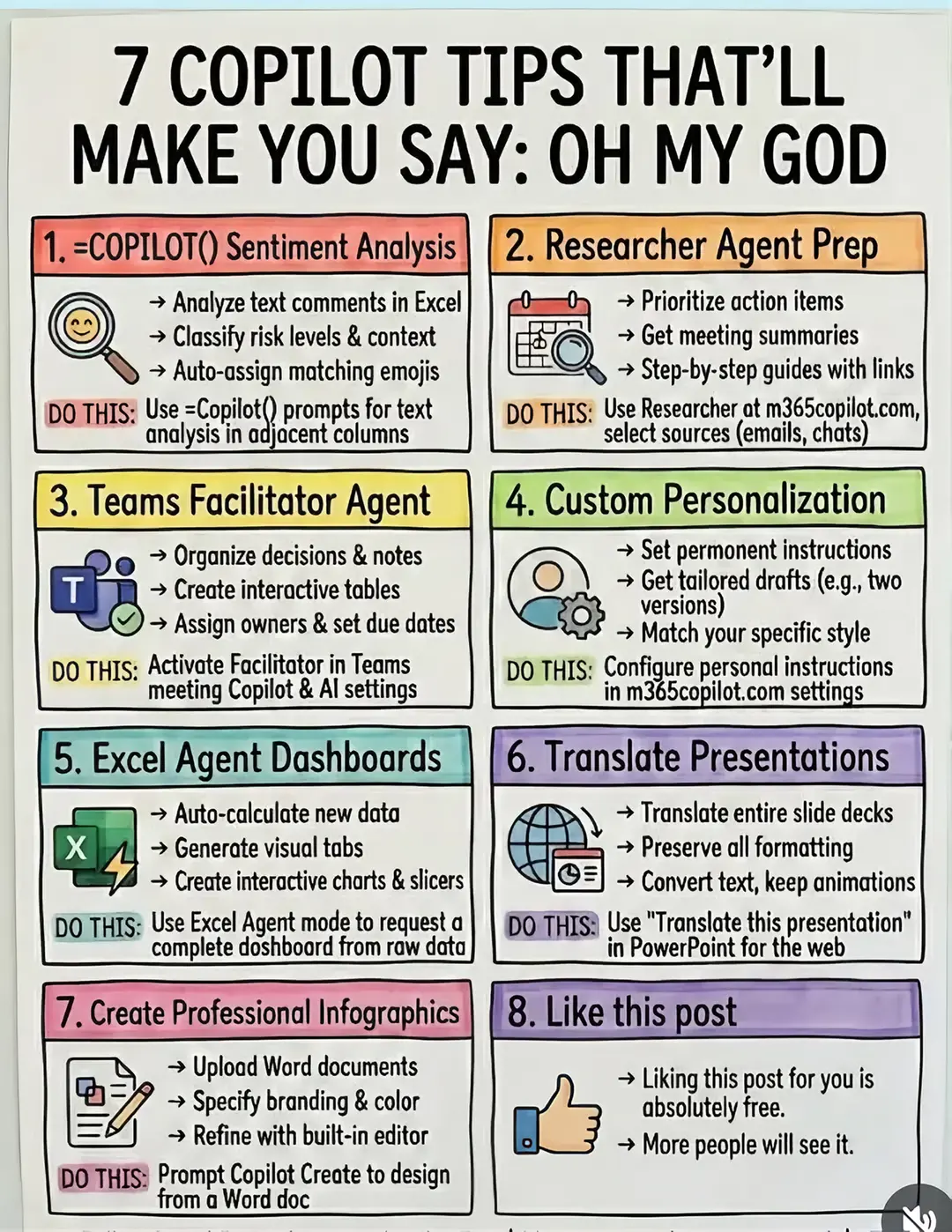
Most people use Copilot like a search box. The real productivity gains come when you give it specific jobs across Excel, PowerPoint, Outlook, and Teams. Here are 40 prompts worth saving 1. Excel • Find key sales trends • Suggest formulas for financial metrics •Build forecast charts • Flag anomalies and outliers • Help build financial models •Explain complex formulas • ldentify validation errors • Analyze cash flow issues •Reconcile datasets • Generate Python in Excel for analysis 2. PowerPoint • Build a board deck from a memo • Write speaker notes • Tighten an inherited deck • Add an executive summary • Turn analysis into a decision slide •Rewrite slides for executives • Turn Excel data into a presentation • Build variance bridge slides • Prepare for tough board questions • Create the final recommendation slide 3. Outlook • Summarize long email threads • Chase approvals professionally • Answer auditor requests • Extract action items • Deliver difficult numbers clearly • Write reusable month-end reminders • Turn messy emails into clear decisions • Push back professionally • Prepare for meetings from email threads • Turn notes into follow-up emails 4. Teams • Summarize meetings you missed •Recall decisions • Draft follow-ups • Find numbers shared in calls • List unanswered questions • Track close deadlines • Pull one topic from a long meeting • Build agendas from previous discussions • Turn messy conversations into decision logs • Prepare meeting briefs from recent activity Copilot becomes much more useful when you stop asking vague questions and start giving it a clear outcome, context, and format .That is where the time savings really start.
40 Copilot Prompts That Make Office Life So Much Easier
Introduction to Copilot's potential beyond search
Excel prompts for data analysis and forecasting
PowerPoint prompts for presentation creation
Outlook prompts for email and communication management
Teams prompts for meeting and collaboration efficiency
Concluding thought on leveraging Copilot for smart work
Microsoft Copilot (ACTS - generates text, summarizes, analyzes data, writes code, builds presentations, drafts emails, organizes information; removing it would change what happens in the video) Microsoft Excel (APPEARS - logo visible, context for prompts; removing it would not change what happens in the video) Microsoft PowerPoint (APPEARS - logo visible, context for prompts; removing it would not change what happens in the video) Microsoft Outlook (APPEARS - logo visible, context for prompts; removing it would not change what happens in the video) Microsoft Teams (APPEARS - logo visible, context for prompts; removing it would not change what happens in the video)
Promotes 1 product. Create free account to see more.
Outliers and viral hits: their videos on Overshot, all time.
AI assistant for drafting emails, analyzing documents and handling everyday tasks
All time.