The video provides high-value, technical utility for a specific, trending developer tool, positioning the creator as an expert while naturally showcasing the product's capabilities.
Summary
The creator explains five intermediate techniques for using Claude Code, focusing on terminal commands, context management, and session control. She demonstrates how to use specific slash commands to optimize the AI's performance and manage token usage.
Structure
1Introduction to intermediate Claude Code techniques
2Explaining bash mode for terminal commands
3Deep dive into context management and token usage
4How to use /compact to manage context window
5Using /clear and /resume for session management
Product placement
Claude Code is the primary subject of the video, demonstrated throughout via screen recordings of its interface.
Their other posts in the index, biggest breakout first.
On-screen text
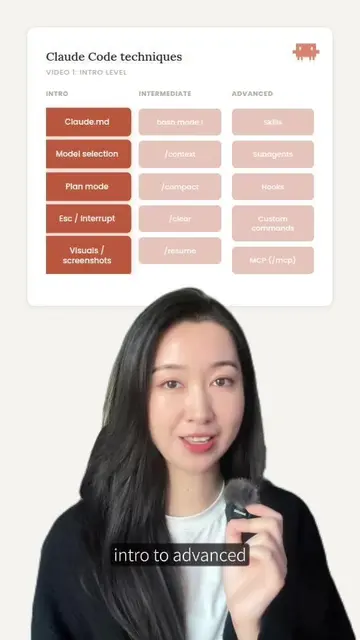
Claude Code techniques
VIDEO 2: INTERMEDIATE LEVEL
bash mode !
/context
/compact
/clear
/resume
Transcript
This is part 2 of how to master Claude Code from intro to advanced. Today let's go through 5 of the more intermediate steps that can up your Claude Code game. No. 1 is bash mode! This was a game changer for me. As someone without a software development background, I wasn't used to running things in the terminal, but I had to learn how to use things like Git after I started vibe coding. And so what I used to do when I wanted to do a Git initialization or staging or commit, I was opening up a separate terminal in addition to Claude Code and then running my commands from there. But turns out there is a better way which is called bash mode! By simply adding an exclamation mark (!) in front of your command, you can go into bash mode which means Claude Code knows that whatever comes after is actually a terminal command and not to be interpreted as a command in natural language. And so knowing this, we can all run our Git commands and any other terminal commands right in Claude Code. And the additional benefit is that even though this is not something that Claude Code is going to actively be working on, you will keep it as context and as part of the log instead of being blind to a whole separate terminal. The next 3 are all context related. If you know about the term context management or context window, it's essentially everything Claude Code knows and will keep in mind while doing development in this current session. And so by doing a /context we're able to look at the status of our context window at this moment in this session. For example this one I'm looking at here, this is a relatively new session, but let me walk you through it. This 10 by 10 grid is essentially the 100% context that we have in total. This is about 200,000 tokens. And so at the very top are system prompt and system tools, they collectively take up about 8% of the tokens. This is just kind of the given overhead. After that are the memory files, which include things like our claude.md. The one after that are the skills. It's important to know that skills and MCPs and claude.md and all chat history all compete in the same context window, but skills and MCPs are only loaded on a needed basis. And lastly the purple part which are messages are the actual chat history that I've had with Claude Code. At the very bottom here are also the auto compact space. Claude Code reserves around 16.5% of the space as a buffer for compacting. So realistically after all of this, currently I have about 72 percent of free space, which is still very healthy. Now if the context use goes up and your free space goes down significantly, this is when we have to start thinking about compacting. Generally when you get to that 80 to 90 percent range, Claude Code will auto compact your context for you, but ideally we do this more proactively earlier in the conversation. A lot of people have recommended that when you get to around 60 percent use is when you can start compacting. Think of this as like having a super long conversation with your teammates or your intern. Both of you start to forget all the details that were discussed earlier in the conversation because it's been such a long conversation. But now you're pausing to say, okay let's summarize everything that we decided on in the previous conversation. And so without logging all that detail, you're summarizing and compacting the conversation such that you have just the important points in mind and you can continue the conversation from there. And this is super easy to do, just do a /compact in Claude Code. Now there's a separate operation called clear where you can clear the entire history and context of a session. This is a little bit of a dangerous procedure because if you have anything useful or helpful discussing there, it will clear everything in terms of history from this session. But where it's helpful is if you're done with the current task, you don't want Claude Code to remember anything about it, or if you think the conversation has gone in the wrong direction and you want to start with a clean slate. And lastly resume. So if you had a good session with Claude Code and you want to exit and then come back to it later on, you could do a /exit and then when you're ready do a /resume. It will show you a list of all the sessions that you've had previously and you can choose to resume any of them. But do note that if you've cleared a session, then that session is not saved in history. And if you do resume that session, you'll see that it's pretty much just empty. That's a little bit on context management and some of the more intermediate tips. We'll go through some of the more advanced tips in the next video.